3
1. Getting started
Charging your board
When rst using Pegasus, it is recommended to fully charge the battery. To charge it, connect the
charging cable to a suitable adapter or USB-port in a PC. For fastest charging we recommend using
phone adapters. Any standard phone charger (5 Volts output) will work.
Switching ON the board
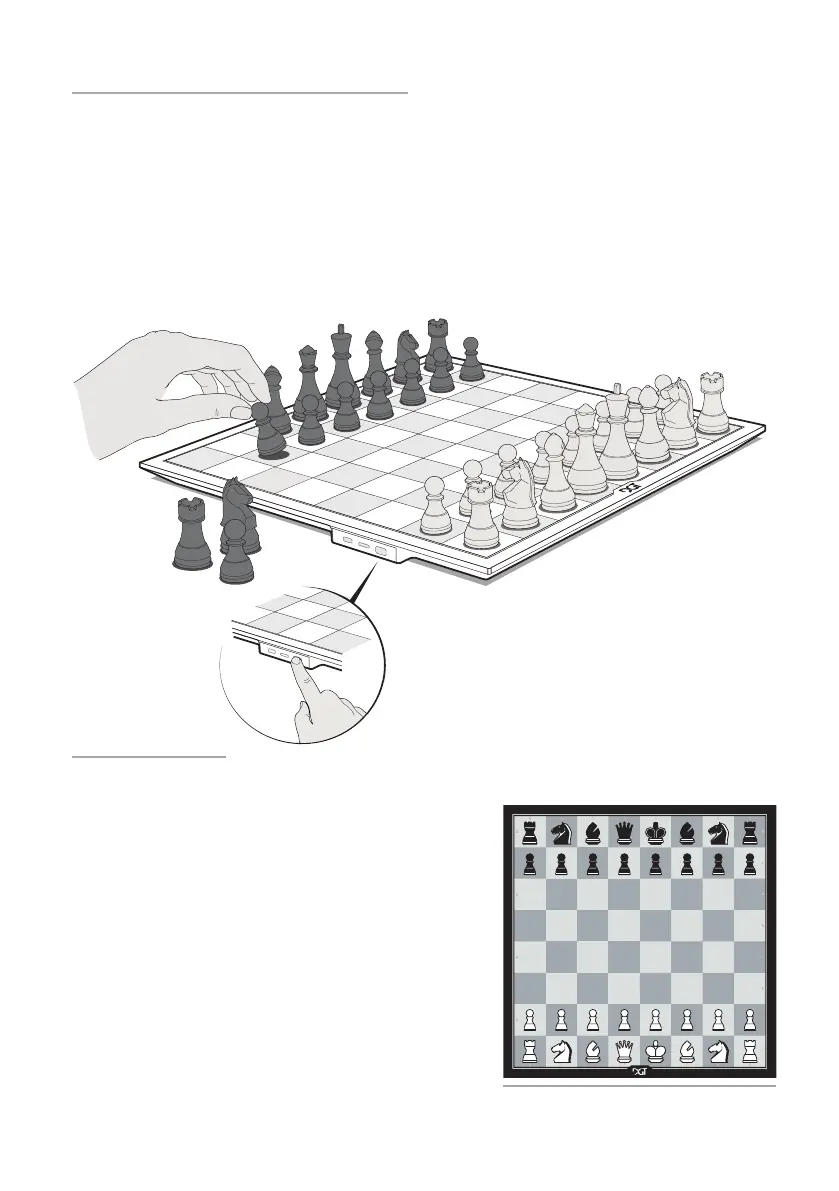
Press the ON/OFF button on the side of the board to switch it on. [See gure 1]. During start-up you
will see a short LED animation on the d4, d5, e4 and e5 squares. When the animation has nished, the
Pegasus is ready for use.
Switching OFF the board
When you want to switch o Pegasus, press the ON/OFF
button for three seconds. An LED animation starts. When
the animation stops, the board is turned o completely.
Placing the chess pieces
Before you start a game, place the pieces on the board
in the starting position [See gure 1 & 2]. This ensures
proper synchronisation with the online platform you are
connecting to.
ON/OFF
ON/OFF
Figure 1. ON/OFF button.
Figure 2. Starting position.


 To Next Page