9
Changing the amount for Americano:
The Americano process depends on the following formula:
Amount dispensed for Americano = (Espresso setting x 1.6) +
(Espresso setting x 1.6)
Example: If you have your Espresso set for 45 mL, you’ll get
approximately: (45 x 1.6) + (45 x 1.6) = (72) + (72) = 144mL
in total
Reset the Settings:
To set all amounts back to their default setting:
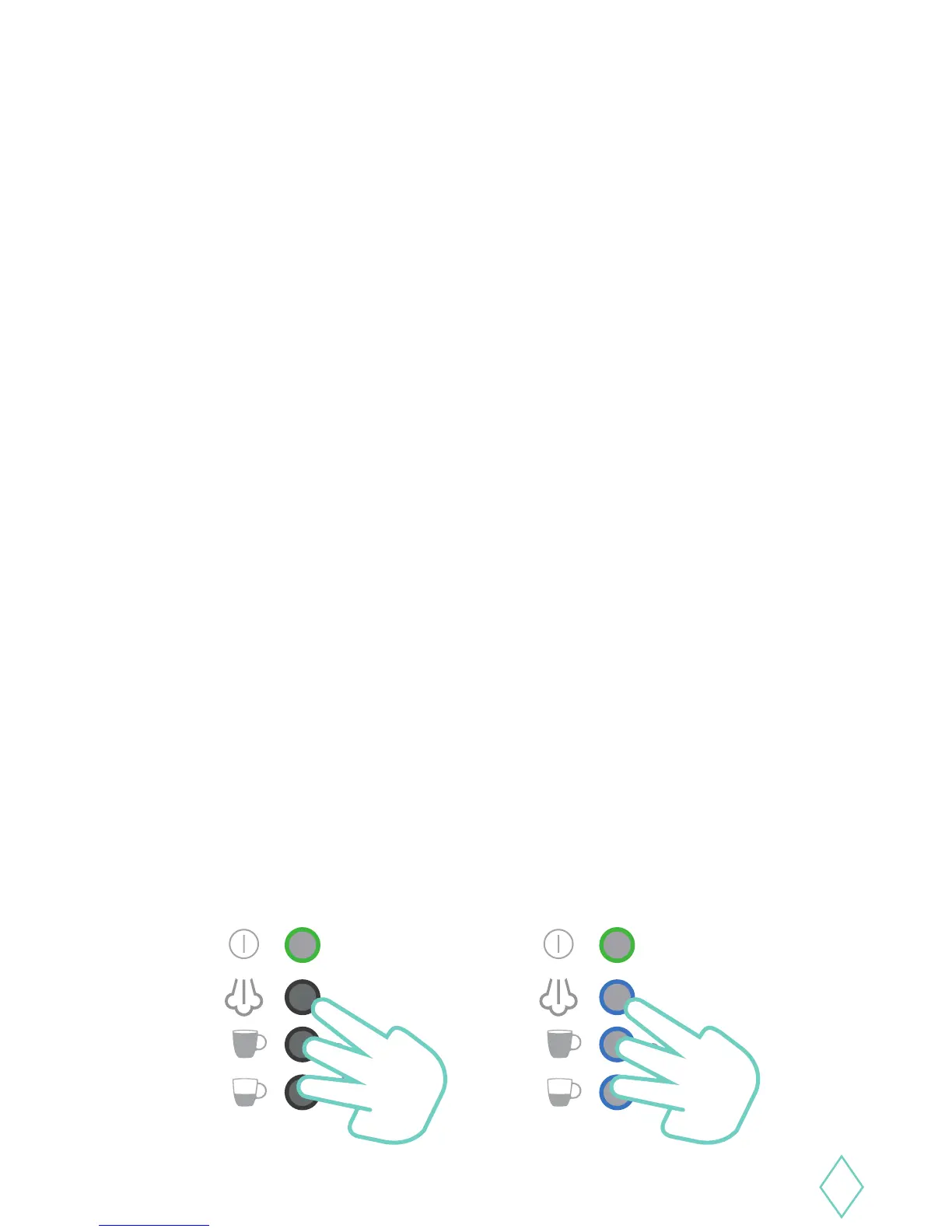
1. Power on the Diamo One.
2. Once it has pre-heated (Power LED is green), you
must hold down three buttons—Steam, Single, and
Double. Doing so can inadvertently start the
“Americano” brewing process, so start with the
Steam button, then quickly also press and hold the
Single and Double buttons.
3. Hold the Steam, Single and Double buttons for
approximately five seconds until ALL FOUR buttons
(three held plus the Power button) flash three times,
then let go. All volumes are now reset to the default
values listed on page 7.


 To Next Page