_______________________________
DOUGH
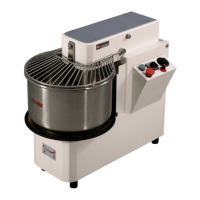
MIXER IRIS
_______________________________
19
5.4 TROUBLESHOOTING
The following tables list the main faults, along with the relative causes and suggested remedies, to
which the machine may be subjected as it operates (NOTE: some of the indications are not
applicable to models 30-40).
Any operations required must be carried out by expert and authorized technicians and only after
having examined this manual.
FAULTS PROBABLE CAUSES POSSIBLE REMEDIES
The machine stops during
the work cycle but the green
starter indicator light
remains on.
The bowl is too full or the
voltage supply from the
electricity main is irregular.
Open the electric panel door (21
Fig. 1) and make sure that the
thermic relays and fuses function
correctly. If necessary, re-activate
the thermic relay by pressing the
button (1 Fig. 10). If the machine still
fails to operate, contact the Retail
Outlet’s Assistance Service.
The dough tool slows down
while the dough is being
mixed.
The dough tool’s transmission
belts have slackened or are
broken.
Tighten or replace the belts as
described in paragraph «5.1.1
Transmission belts».
The bowl slows down while
the dough is being mixed.
The bowl’s transmission belts
have slackened or are broken.
Tighten or replace the belts as
described in paragraph «5.1.1
Transmission belts».
When the START button is
pressed (5 Fig. 7 ), the
machine starts operating
but stops as soon as the
button is released.
The timer (1 Fig. 7) or the
relays of the electric panel
(Fig. 10) are dirtied with flour
or out of service.
Direct a jet of air (not too strong) on
to the timer and relays so as to
clean the contacts. If the machine
still fails to start, replace the
defective component.
When the START button is
pressed (5 Fig. 7), the
dough tool turns while the
bowl remains at a standstill.
Make sure that the bowl’s
mode selector (4 Fig. 7)
functions correctly. It could be
out of service.
Replace the selector if it is
defective.
The machine fails to
automatically switch from
the first to the second
speed.
The speed selector (7 Fig. 7)
is in the second speed
inhibited position.
The selector is defective.
Not enough power from the
electricity main.
Check the position of the second
speed inhibiting selector (7 Fig.7).
Replace the selector.
Check the power installed in the
bakery. Boost the power if
necessary.


 To Next Page