R00A_201909 3/5
has ended. Do not remove vessel or Brew Cone until water stops flowing.
8. You should repeat the above process twice to clean the internal parts of the machine
before brewing coffee for first time.
9. During above operation, it is normal to hear some brewing and pumping sounds and to
see some water vapor coming out of the machine.
The units must away from locate of water sprayed area.
In case, if any incorrect on operates or water over flow, Please TURN-OFF
the power switch immediately to STOP the brewing procedure.
Caution! Hot Surface!
◆ Operation
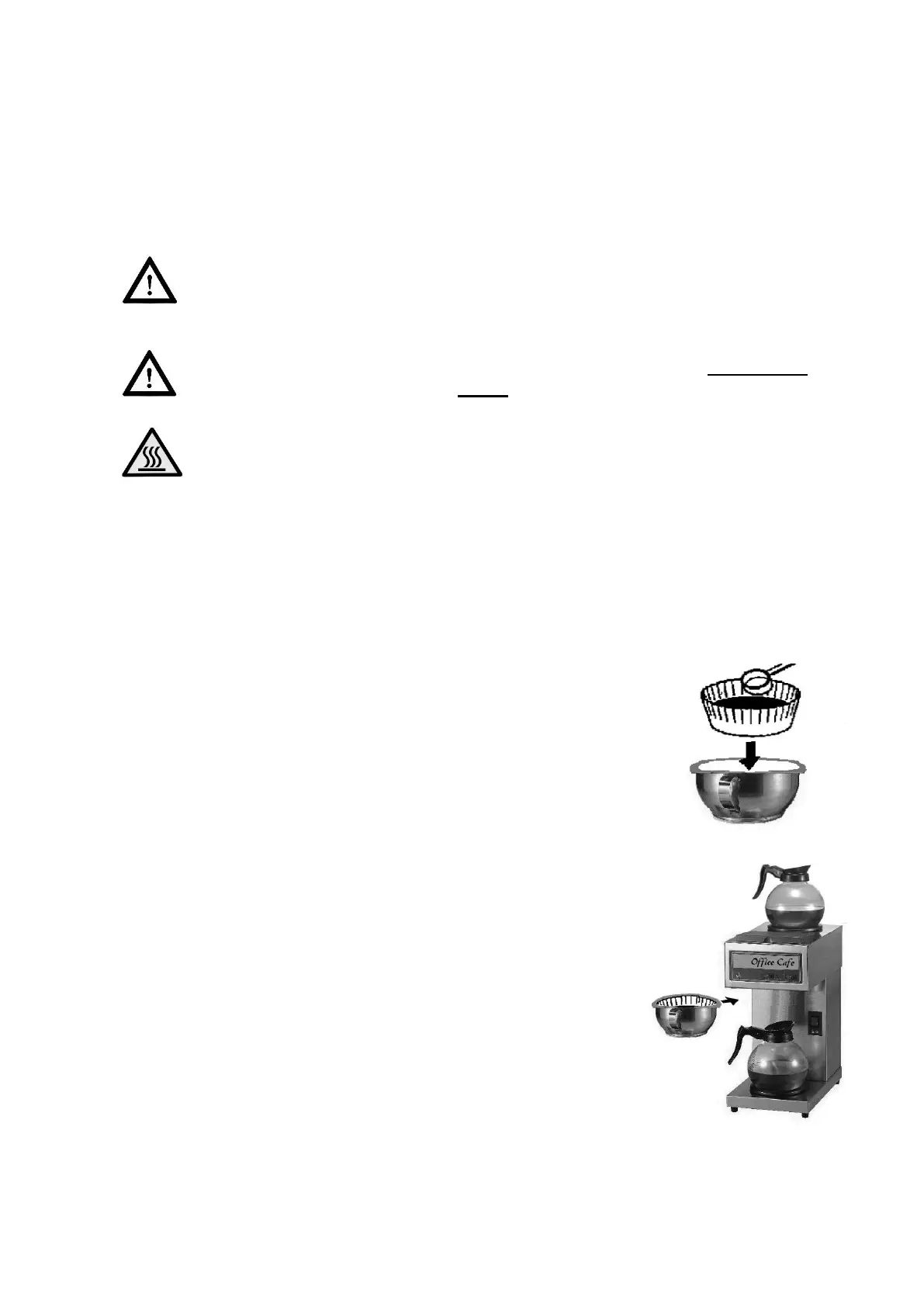
Remove the Filter Basket, and place a Filter Paper into the
Filter Basket. Put appropriate amount of coffee in the Filter
Paper (your coffee supplier should be able to provide you
with information about correct yields).
Slide the Filter Basket into position.
Place the empty decanter (Pot or Airpot) at the correct
position under Filter Basket.
Turn the power switch ON. Press the Brew button; the
“Filling” & “Heating” indicator will light up as above.
Coffee will start to flow into the pot in approximately 90
seconds.
When the "Heating" indicator light turns off, the brewing
cycle has completed. Do not remove vessel or Filter
Basket away until coffee stops flowing.
Brew cycle is completed.
Dispose of used grounds coffee and filter paper; rinse Filter Basket in clean water.


 To Next Page
 Loading...