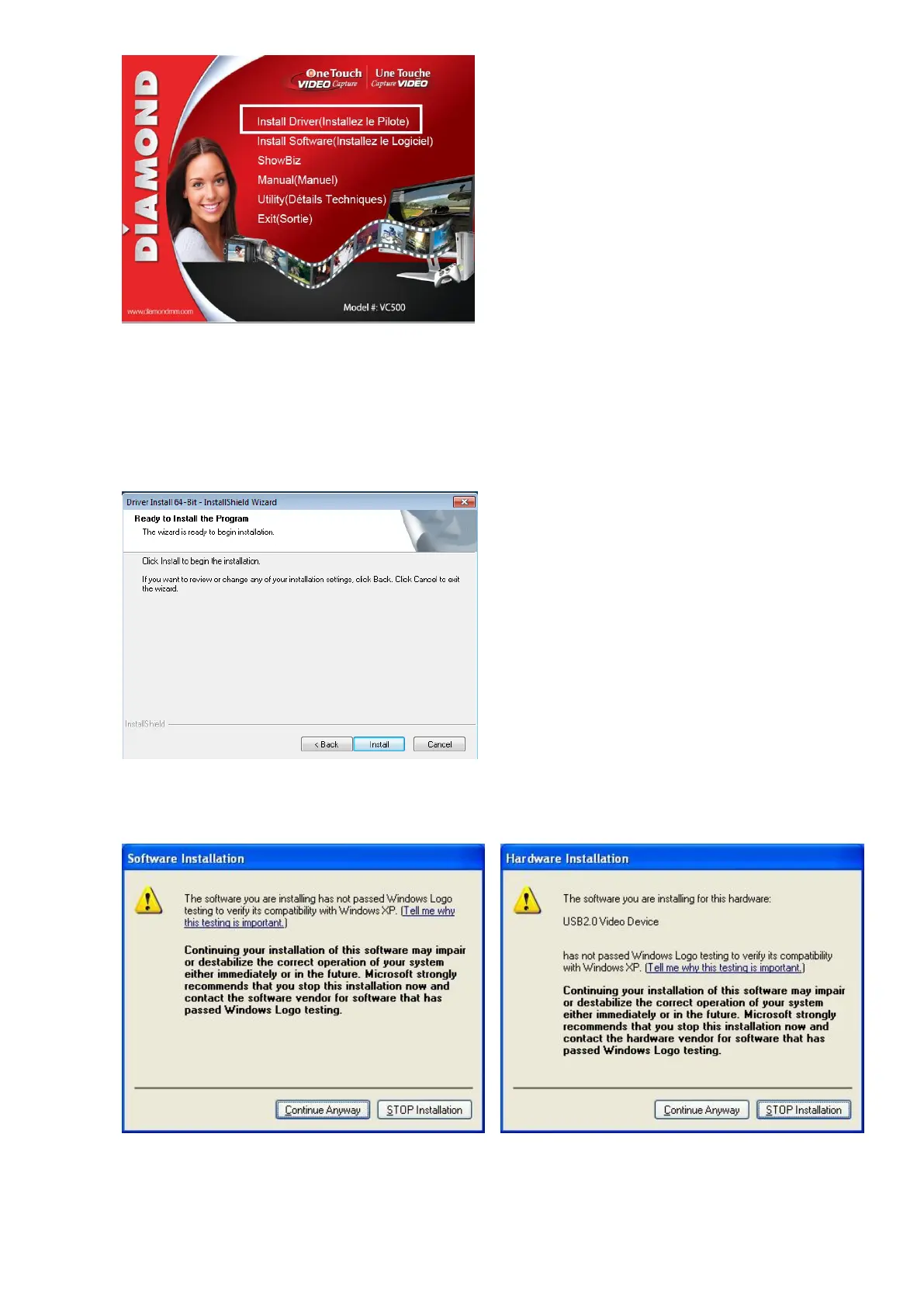
If you have problems running the installation menu open up the driver folder located on the
installation disk that came with the VC500. Example; “E:\Driver\Setup.exe”, where E: is an
example of the driver letter assigned to your CD/DVD drive.
5. Click “Install” to continue installation driver
6. If you are still running Windows XP you may get the following warning message, no need to worry just
click on the “Continue Anyway” button.
If you are running windows 7 and above you may also receive the following message, just click Install as
this driver has been verified from Diamond Multimedia as a trustworthy driver.


 To Next Page