16
500 Tm Owner’s Manual
Console (continued)
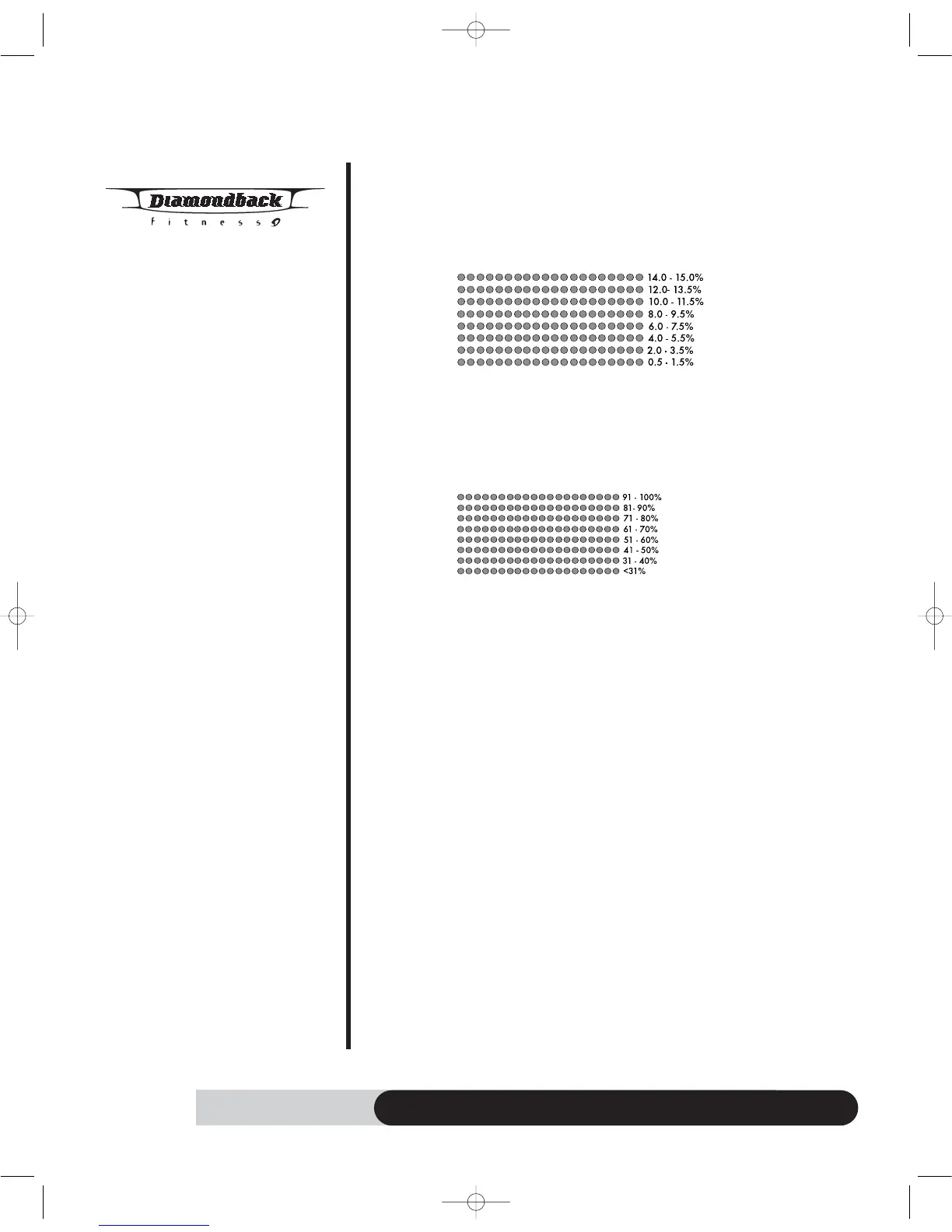
adjustment. Each row of LED at dot matrix display represents
1.5mph increment.
• Incline adjustment: When incline adjustment is allowed by a program,
you may adjust the incline from 0% to 12% by pressing INCLINE
UP/DOWN key.
o Dot matrix profile will adjust the display according to the Incline
adjustment. Each row of LED at dot matrix display represents 1.5%
increment
• HR adjustment: During HR interactive program, you may press
UP/DOWN key to adjust the HR setting.
o Dot matrix profile will adjust the HR profile according to your new
HR setting by displaying %max HR. Each row of LED at dot matrix
display represents 10% of max HR.
• % MAX HR = Pulse / (220 minus age) * 100%.
It is recommended to control your % Max heart rate within 60% – 85%
for the most effective workout. It is also unsafe to exceed 90% and
above.
This treadmill is equipped with Hear
t Rate protection shut off function.
The pulse display will blink and beep to warn you when your heart rate
exceeds 95% max HR. The console will shut down and r
eturn to idle
mode if your heart rate is exceed 98% max HR for more than
10 seconds. It is important to enter your age to get the accurate
% max HR.
• English / Metric setting: The default Units is English system. To enter the
system-switching mode, press & hold “ START” & “STOP” keys at the
same time for 2 seconds during idle mode. The Dot Matrix display will
blink “ENGL” for English units or “METR” for Metric units. To change it,
press “UP/DOWN” key to switch the current Units. Press “ENTER”
key to accept the setting and enter idle mode.
500tmOM 8/24/06 11:19 AM Page 18



 To Next Page