6
5
5
Adjusting the Monitor
You can adjust the monitor using its On-Screen Display (OSD) menu system.
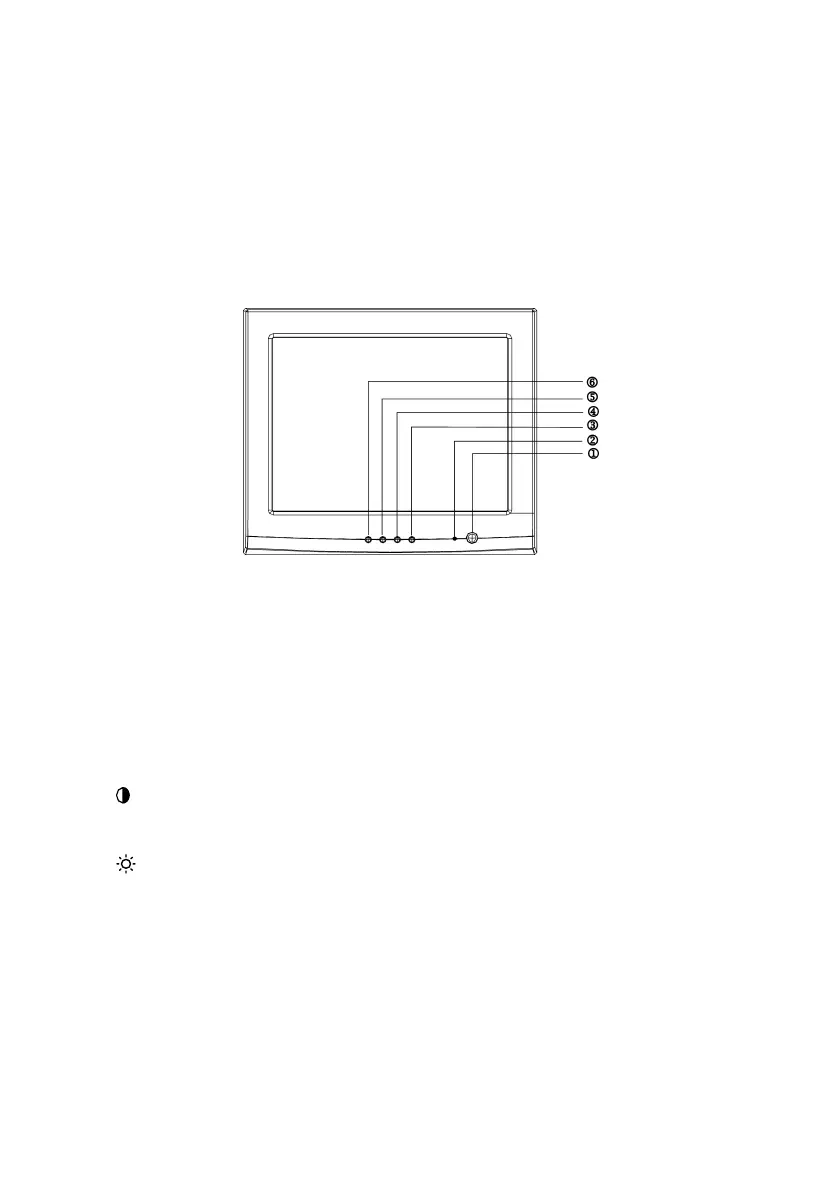
There are 4 buttons that control the monitor:
To turn the monitor on and off
1. Power
2.
POWER INDICATOR
3. MENU
Activates OSD function or function adjustment
confirmation
4. / >
Moves to another menu item or increases the
selected parameter. Hotkey for contrast adjustment.
5.
/ <
Moves to another menu item or decreases the
selected parameter. Hotkey for brightness
adjustment.
Exit a function or OSD menu
6. EXIT



 To Next Page