Rev. 10/07
DICKSON
Getting Started
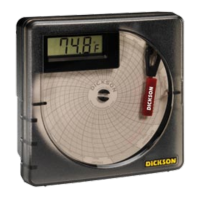
Set the switch on the back of the unit to the appropriate motor speed: 7 day or 24 hour.
Place a new chart on the recorder.
Set the time by inserting a coin into the chart hub and turning clockwise until the current hour is
referenced by the time indicator. (Time Indicator is directly to the right and below the pen tip.)
Remove protective pen cap.
Pen Replacement
Slide the used pen cartridge off and slide the new one on. Typical pen life is one year.
Battery Replacement
The battery compartment is located on the back of the unit. The recorder uses a standard “AA” battery
for up to three years of battery life.
Insert new battery with positive end up.
Charts (for current pricing go to www.dicksondata.com or call 1-800-323-2448)
Range
(F/C switchable)
24 Hour °F
Chart
24 Hour °C
Chart
7 Day °F
Chart
7 Day °C
Chart
-22 to +122°F -30 to +50°C C205 C180 C206 C181
0 to +100°F -18 to +37°C C010 C209 C012 C210
+45 to +90°F +7 to +32°C C090 C207 C070 C208
Accessories (for current pricing go to www.dicksondata.com or call 1-800-323-2448)
Description Order #
NIST Traceable Calibration 3-pt. (new unit) N300
A2LA Accredited Calibration 3-pt. (new unit) N400
Pens (6 red) P222
Carrying Case A708
Waterproof Pouch A711
•
•
•
•
•
•
•
Italian
Product
Applications &
Specifications
Getting Started,
Charts &
Accessories
French GermanCalibrations Troubleshooting
Warranty &
Returns
Spanish


 To Next Page