Table of Contents
1 Manufacturer’s declaration and approval................................................................................ 1-1
2 Supplier’s Declaration of Conformity ...................................................................................... 2-1
3 Introduction ................................................................................................................................ 3-1
3.1 From Point-of-Sale to Point-of-Service ..............................................................................3-1
3.2 Features at a glance ..........................................................................................................3-1
3.3 About this manual ..............................................................................................................3-2
4 Display overview........................................................................................................................ 4-1
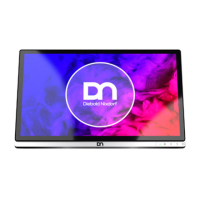
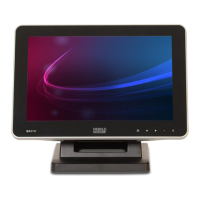
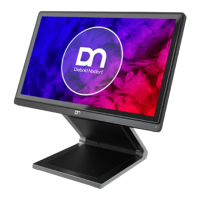
4.1 D1150.................................................................................................................................4-1
4.2 Touch screen per model ....................................................................................................4-1
5 User interfaces ........................................................................................................................... 5-1
5.1 Front panel .........................................................................................................................5-1
5.2 Connector panel.................................................................................................................5-2
5.3 On-Screen Display (OSD)..................................................................................................5-3
6 Display settings ......................................................................................................................... 6-1
6.1 OSD lock/unlock.................................................................................................................6-1
6.2 RMT enable/disable ...........................................................................................................6-2
6.3 Power button – lock/unlock ................................................................................................6-3
7 Touch technologies ................................................................................................................... 7-1
7.1 Projected Capacitive Touch Screen...................................................................................7-1
7.1.1 General information ............................................................................................ 7-1
7.1.2 Instructions for using the Touch Screen ............................................................. 7-1
7.1.3 Cleaning instructions........................................................................................... 7-1
8 Initial setup ................................................................................................................................. 8-1
8.1 Unpacking and checking the delivery unit..........................................................................8-1
8.2 lnstalling the display to a stand ..........................................................................................8-1
8.2.1 Installing system to the stand (standard) ............................................................ 8-1
8.2.2 Installing system to the stand (with cable covers) .............................................. 8-4
8.3 Connecting the display.......................................................................................................8-8
9 Ergonomic Terminal Workplace ............................................................................................... 9-1
10 Technical data ............................................................................................................................ 10-1
10.1 Dimensions (mm) ...............................................................................................................10-2
10.2 Projected Capacitive Touch Screen...................................................................................10-3
10.3 Supported resolution ..........................................................................................................10-3
Copyright © 2020, Diebold Nixdorf
01750348355A
ii


 To Next Page