• 4 •
DISPLAYS6.
LED Indicators6.1
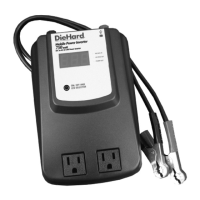
The LED indicators identify the operating status of the inverter.
• VOLTAGE IN: DC voltage of the battery, vehicle electrical system or
power supply.
• VOLTAGE OUT: AC voltage supplied to device through the outlets.
• POWER OUT: AC power (wattage) supplied to device through the outlets.
Digital Display6.2
The values of the corresponding LED indicators will be shown in the digital
display.
120
If a problem develops during use, an audio alarm will sound, and one of
the codes shown below will display. To stop the alarm, press the ON/OFF
button.
BaD• – Inverter is not functional. Call Customer Service to trouble shoot
problem, anywhere in the U.S.A.
7 am to 4:30 pm Central Time, Monday through Friday, 1-800-SEARS-64
(1-800-732-7764).
H Ib• – Vehicle’s battery voltage is more than 15.5 volts. Inverter will auto-
matically restart after the voltage drops below 15.0 volts.
• H IP – The continuous load demand from the device exceeds 750 watts.
• HoT – Inverter is overheated and automatically turns off for a period of
1–3 minutes to cool. Make sure inverter is well ventilated. It will automati-
cally restart after it cools.
• Lo b – Vehicle’s battery voltage is less than 10.5 volts.
SC• – Short circuit, power surge or overload in the device.
●
○
○
VOLTAGE IN
VOLTAGE OUT
POWER OUT


 To Next Page