EasyManua.ls Logo

DieHard 28.71495 - User Manual

DieHard 28.71495
14 pages
Print Icon
To Next Page IconTo Next Page
Loading...
00-99-001006/00
OPERATOR’S MANUAL
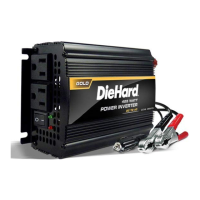
750 Watt Power Inverter
Model No.
28.71495
Read and follow all Safety
Rules and Operating Instructions
before Every Use of this Product.
SAVE THESE INSTRUCTIONS.
Sears Brands Management Corporation,
Hoffman Estates, IL 60179 U.S.A.

Questions and Answers

  • J
    Jimmy Jackson DDSAug 1, 2025
    Why is the alarm on my DieHard Inverter beeping?
    • K
      Kenneth MuellerAug 1, 2025
      The alarm on your DieHard Inverter may be triggered for several reasons. It could be that the device connected demands too much surge power, in which case you should cycle the inverter power off and on. If the problem continues, consider using a larger inverter or a smaller device. Alternatively, the device might have a short circuit, requiring you to remove the defective device. A low 12-volt battery could also be the cause; try recharging or replacing the battery. Finally, if the 12-volt voltage is too high, the inverter will automatically restart once the input voltage returns to 15 volts or less.
  • D
    David BrownAug 8, 2025
    How to fix DieHard 28.71495 that does not turn on?
    • J
      Jason PittmanAug 8, 2025
      If your DieHard Inverter isn't turning on, the issue might stem from poor contact at the terminals. Check the connection to the battery or power supply, ensuring all connection points are clean. Rock the clamps back and forth to improve the connection. If this doesn't resolve the problem, the fuse may be blown. To replace it, contact a qualified service technician who will diagnose the problem and replace the fuse(s) with the appropriate replacement(s).
  • S
    Sarah McintyreAug 16, 2025
    What to do if the alarm is on for my DieHard Inverter?
    • J
      Jessica AlexanderAug 16, 2025
      If the alarm is on for your DieHard Inverter, it could be due to several reasons. First, the device connected may have a short circuit or need more surge power than the inverter can provide. Try cycling the inverter power off and on. If the problem continues, use a larger inverter, a smaller device, or remove the defective device. Another reason could be that the 12-volt battery is too low or the 12-volt voltage is too high. In the first case, recharge or replace the battery. In the second case, cycle the inverter power off and on. Also, the device might be drawing more power than the inverter's continuous power rating. Again, cycle the inverter power off and on, and if that doesn't work, try a larger inverter or a smaller device.
  • M
    Monica Jones MDAug 23, 2025
    How to fix a DieHard 28.71495 Inverter that does not turn on?
    • M
      Mr. Alexis Mejia PhDAug 23, 2025
      If your DieHard Inverter doesn't turn on, check the connections to the battery or power supply to ensure they are making good contact. Clean the connection points and rock the clamps back and forth to improve the connection.

Summary

Safety and Warning Information

Understanding Safety Signal Words

Explains signal words (DANGER, WARNING, CAUTION, IMPORTANT) used in the manual for hazard indication.

Important Safety Instructions

General Safety Guidelines

Essential rules for safe operation, handling, and placement of the power inverter.

Product Features and Usage Preparation

DieHard Inverter Features

Identifies key components of the 750 Watt Power Inverter.

Before Using Your Inverter

Guidance on battery compatibility and power load considerations before initial use.

Connecting and Operating the Power Inverter

Connecting Inverter Cables

Detailed steps for connecting the inverter to a 12V power source.

Operating Instructions

How to turn on the inverter, connect devices, and monitor operation.

Using the USB Port

Instructions for powering devices via the USB port.

Power Source, Display, and Troubleshooting

Power Source Considerations

Information on battery power duration and maintenance.

LED Display and Alarm Codes

Explains the inverter's status indicators and error codes.

Troubleshooting Common Problems

Solutions for issues like alarms, voltage errors, and connection problems.

Specifications and Repair Information

Product Specifications

Technical data including power, voltage, dimensions, and weight.

Before Returning for Repairs

Steps to take before returning the unit, including customer service contact.

DieHard 28.71495 Specifications

General IconGeneral
BrandDieHard
Model28.71495
CategoryInverter
LanguageEnglish

Related product manuals