EasyManua.ls Logo

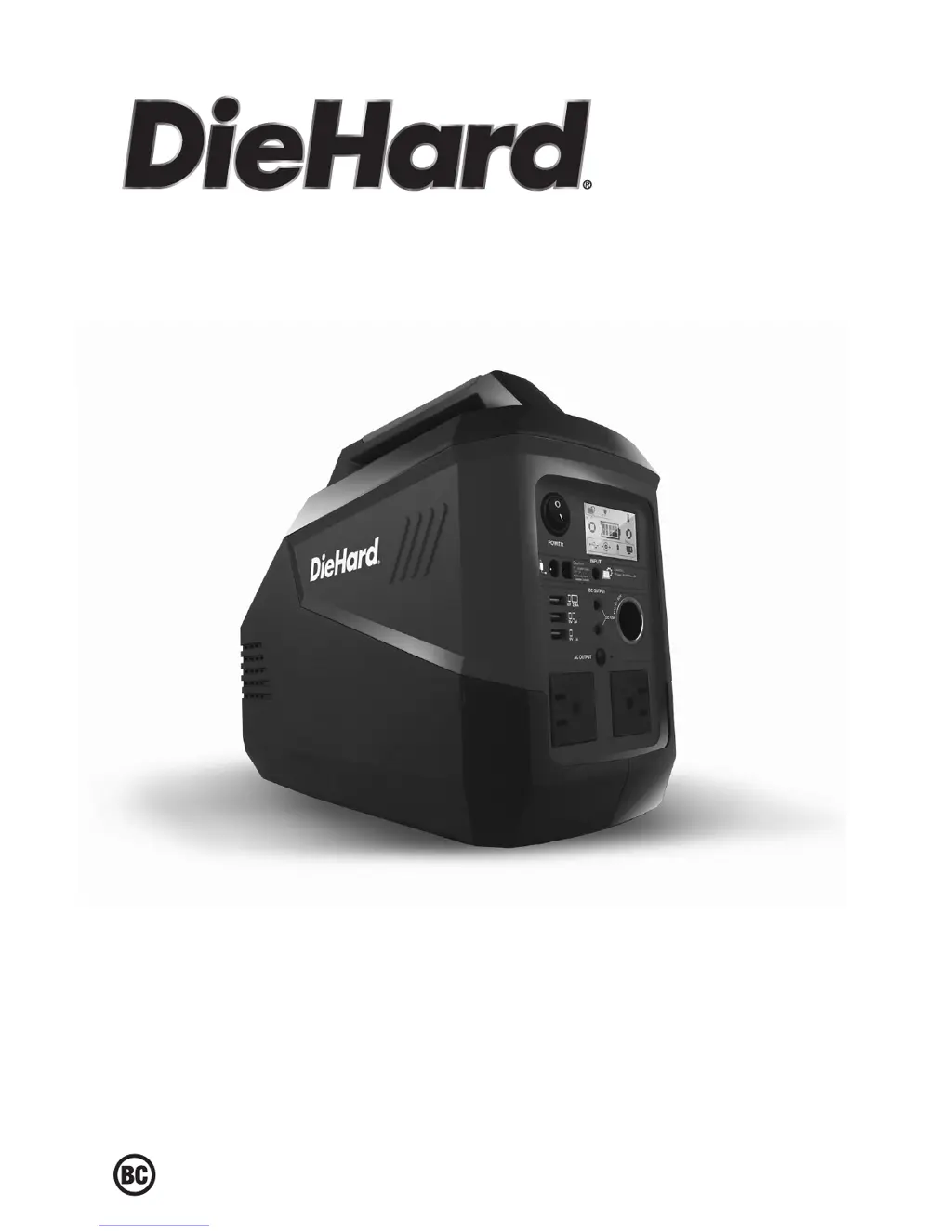
DieHard DH139 - User Manual

DieHard DH139
16 pages
Print Icon
To Next Page IconTo Next Page
Loading...
0099001978-01
Portable Power Generator
Generador eléctrico transportable
OPERATOR’S MANUAL / MANUAL DEL USUARIO
Model / Modelo:
DH139
CAUTION:
Read and follow all safety
rules and operating instructions
before every use of this product.
SAVE THESE INSTRUCTIONS.
ATENCIÓN:
Lea y siga todas las reglas
de seguridad e instrucciones de uso
antes de cada uso de este producto.
GUARDE ESTAS INSTRUCCIONES.

Questions and Answers

  • W
    Wesley JamesAug 11, 2025
    What to do if the DieHard DH139 DC/AC output is faulty?
    • F
      franksilvaAug 11, 2025
      If your DieHard Inverter's DC/AC output is faulty, it could be due to several reasons. First, the battery might be experiencing under-voltage protection, in which case you should charge the unit. Second, it could be due to discharge over-current protection; ensure that your loads are within the allowed range (total ?500W). Third, over-temperature protection may be the cause; turn the unit off, allow it to cool down, and then restart it. In case none of the above helps, the unit may be damaged, and you should contact customer service.
  • B
    Benjamin BrownAug 17, 2025
    Why is my DieHard Inverter failing to power up?
    • A
      Aaron YuAug 17, 2025
      If your DieHard Inverter fails to power up, there are a few potential reasons. It could be due to under-voltage protection, in which case you should recharge the unit. Alternatively, it might be caused by abnormal load protection, so remove any loads and recharge the unit. If neither of these steps works, the unit may be damaged, and you should contact customer service.
  • H
    Harold PayneAug 23, 2025
    What to do if my DieHard DH139 Inverter shows abnormal icon display?
    • R
      reyescynthiaAug 23, 2025
      If your DieHard Inverter displays abnormal icons, it could be due to abnormal loads; in this case, remove the loads. Another cause may be a hardware fault or a damaged LCD screen. In both of these cases, contact customer service.
  • J
    Joseph PhillipsAug 29, 2025
    How to troubleshoot a charger fault on a DieHard Inverter?
    • M
      Mary RileyAug 29, 2025
      If you are experiencing a charger fault with your DieHard Inverter, there are a few things to consider. First, make sure you are using only the charger included with the unit. Second, check for a damaged charger and contact customer service for a replacement if needed. Third, check for an abnormal power supply or connection, and if found, reconnect the charger. If the problem persists after these steps, replace the charger.
  • M
    Michael EvansSep 5, 2025
    What to do if the DieHard Inverter has a solar panel charging fault?
    • A
      Annette RosarioSep 5, 2025
      If you're experiencing a solar panel charging fault with your DieHard Inverter, there are a few possible reasons. It could be due to over-current, so use only the recommended solar panel. It might also be due to weak sunlight, so try charging in a sunny place. Another potential cause is a damaged solar panel, which would need to be replaced. Finally, check for an abnormal wiring-harness connection and reconnect it if necessary. If the problem continues, replace the solar panel.

DieHard DH139 Specifications

General IconGeneral
Input Voltage12V DC
Output Voltage120V AC
Frequency60 Hz
WaveformModified Sine Wave
USB Ports1x 5V/2.1A
ProtectionsOverload, Short Circuit

Related product manuals