Settings
色卡校准
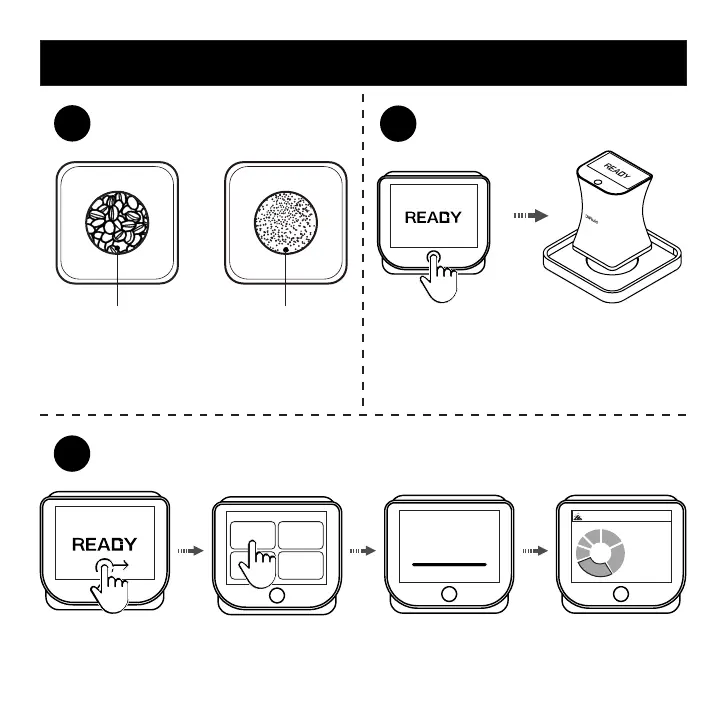
Use a roast analysis tray and a tray. Fill the beans
into deeper side while the coffee ground into
shallower side. Note that you need to use a scraper
to make it ush with the surface of the tray.
coffee beans coffee ground
Roast Analysis Operation Diagram
Click to power up, put the main unit over the
roast analysis tray.
Swipe from left to right on READY page to enter the menu page. Click on the 'Roast' button to start
test. The screen will display result after complete.
Roast Particle
TestingTesting
Full
City
Ratio:34%
43.9
Agtron
(COMMON)
Roast
1
2
3
11


 To Next Page