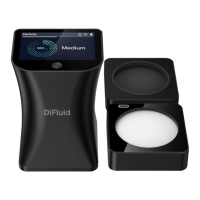
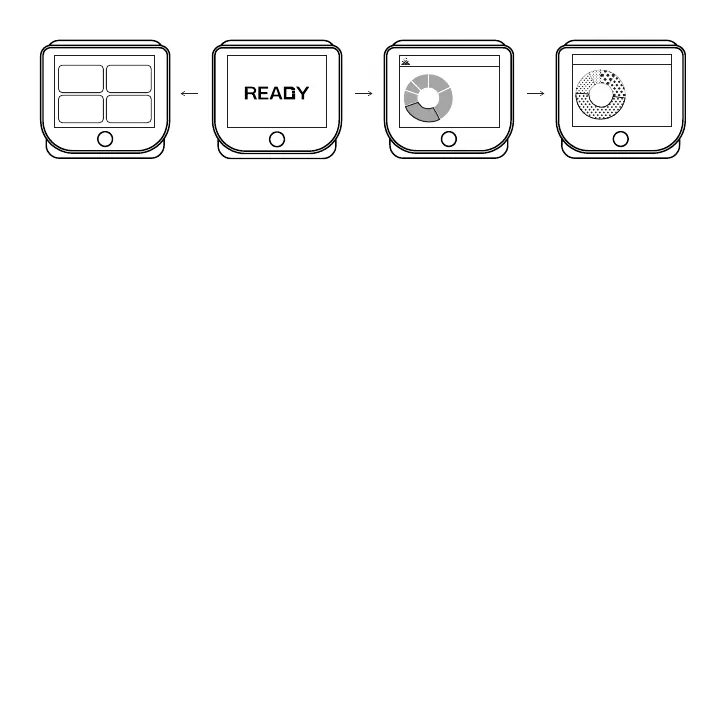
Swipe right to access the menu page
1. Roast :
Perform roast analysis.
2. Particle:
Perform particle analysis.
3. Calibration:
Perform the calibration.
4. Settings:
Access more settings for Omni.
Swipe left to access the analysis history page
1. View Roast Analysis History:
Swipe left from the Home Page to view the last roast analysis
result, and swipe down to access all roast analysis history.
2. View Particle Analysis History:
Swipe left twice from the Home Page to view the last particle
analysis result, and swipe down to access all particle analysis history.
On the Home Page, tap to perform the test.
On a sub-page, swipe right to return to the previous level page.
Left Page
MenuSettings
Home Page
Tap the screen,
Perform the Test
Right Page
Last Roast Analysis
Result
Second Right
Page Last Particle
Analysis Result
Swipe right Swipe left
Swipe left
Full
City
Ratio:34%
43.9
Agtron
(COMMON)
Roast
Medium
Ratio:58%
Counts:174
(ISO)
Particle
980
μm
SettingsCalibration
Roast
Particle
7


 To Next Page
 Loading...