There are three methods to start the test
1. Click the button:
In smart test mode, the system will automatically determine whether to
perform roast analysis or particle analysis.
2. Tap the screen on the Home Page:
In smart test mode, the system will automatically
determine whether to perform roast analysis or particle analysis.
3. Click the <Roast> or <Particle> option on the menu page:
The system will directly execute
the corresponding analysis.
5. Function operation
Test
Roast analysis
1. Recommended Procedure
1) Use a roast analysis tray and a tray. Fill the beans into deeper side while the coffee ground into
shallower side. Note that you need to use a Scraper to make it ush with the surface of the tray.
2)
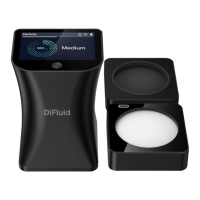
Click to power up, put the main unit over the roast analysis tray.
3)
Swipe from left to right on READY page to enter the menu page. Click on the 'Roast'
button
to start test. The screen will display result after complete. (See page 11 for more details)
2. Analysis Result
(See Page 12 For More Details)
3. Cautions
1)
Light Source:
Roast analysis utilizes near-infrared light sources (850nm, 940nm) for testing
and analysis. White light is used for auxiliary functions such as smart tests and 0-6 silver skin
detection
2)
Silver Skin Detection:
You can choose whether to enable the silver skin detection function for
coffee beans or coffee grounds in the settings. You can also adjust the sensitivity of it.
8


 To Next Page
 Loading...