12
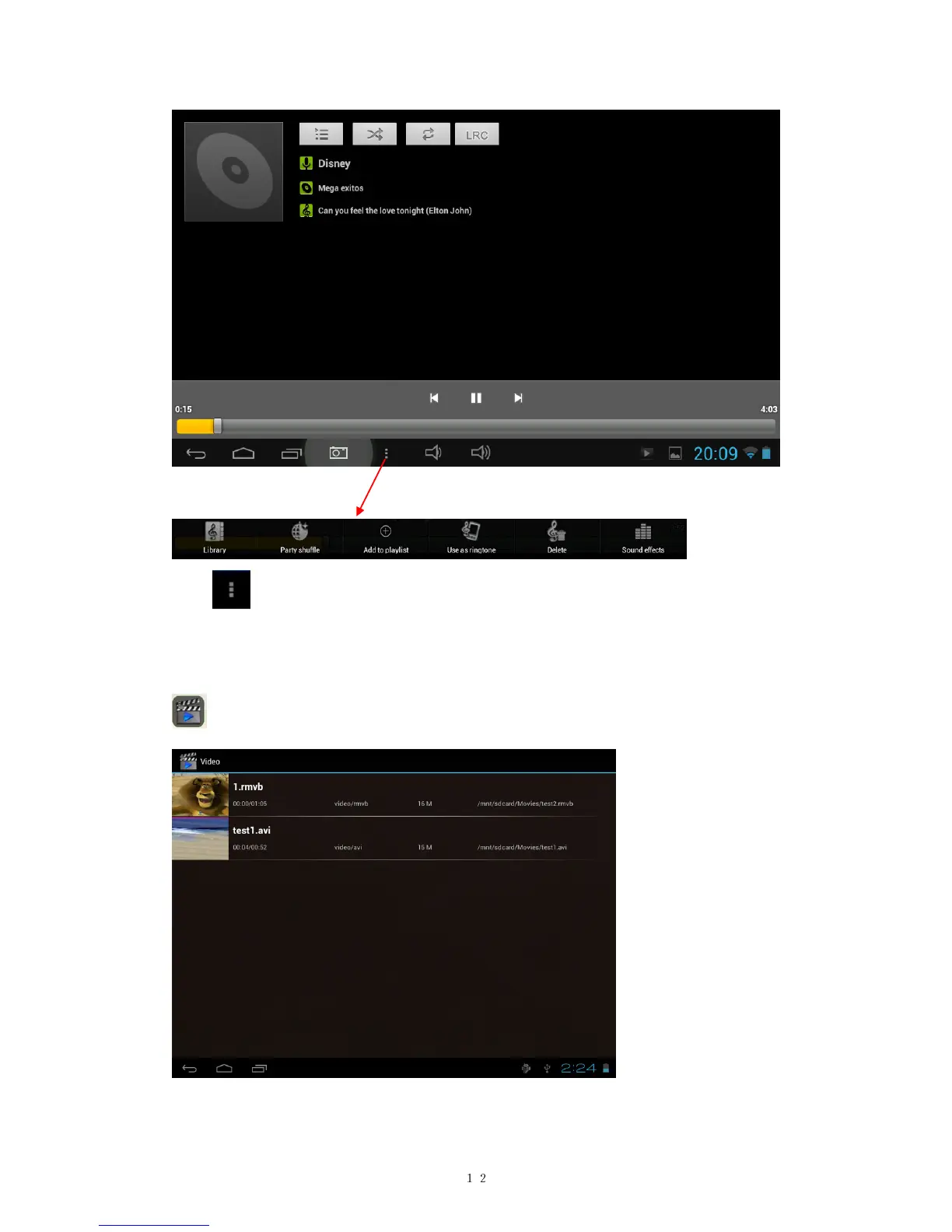
Tab in the bottom line to open a submenu in music playing page.
6.2 Video
You can play videos saved in your tablet or TF card. To play, tap Video
icon to launch the video player:
Tab the video you would like to play. Tab the screen to show the video
tool bar. You can play back, fast forward, pause your video here. You


 To Next Page