Chapter 12: Grouping Tracks 201
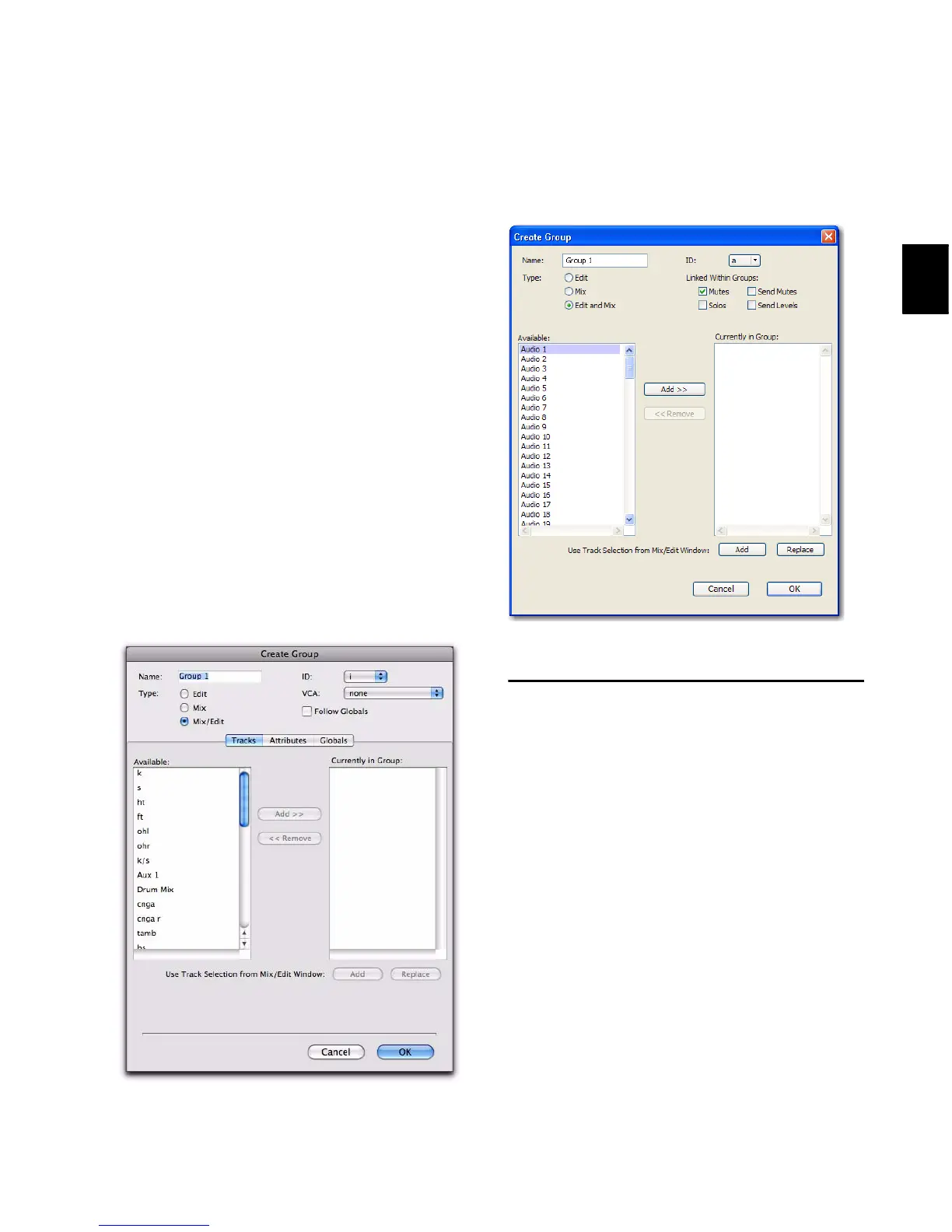
Group Dialog
Whether you are creating or modifying groups
with the Group List, a tracks’s Group ID indica-
tor, or the Track > Group menu command, you
use the Groups dialog.
The Group dialog lets you create new groups
and assign attributes to groups.
Group Dialog in Pro Tools HD
In Pro Tools HD, the Group dialog has three
pages:
Tracks Lets you add and remove tracks from the
current group.
Attributes Lets you select which parameters are
linked for the current Mix or Mix/Edit Group.
Globals Lets you select parameters to use as a
template that can be applied to individual
groups by selecting the Follow Globals option.
Group Dialog in Pro Tools LE
In Pro Tools LE, the Group dialog has a single
page.
Working with Groups
Creating Groups
You can select the tracks you want to add to a
group before creating it, or add and remove
tracks from a group after it has been created.
Creating Groups in Pro Tools HD
To create a group in Pro Tools HD:
1 Select the tracks you want to include in the
group. (If you do not select tracks at this time,
you can add tracks later.)
Group dialog (Pro Tools HD)
Group dialog (Pro Tools LE)



 To Next Page