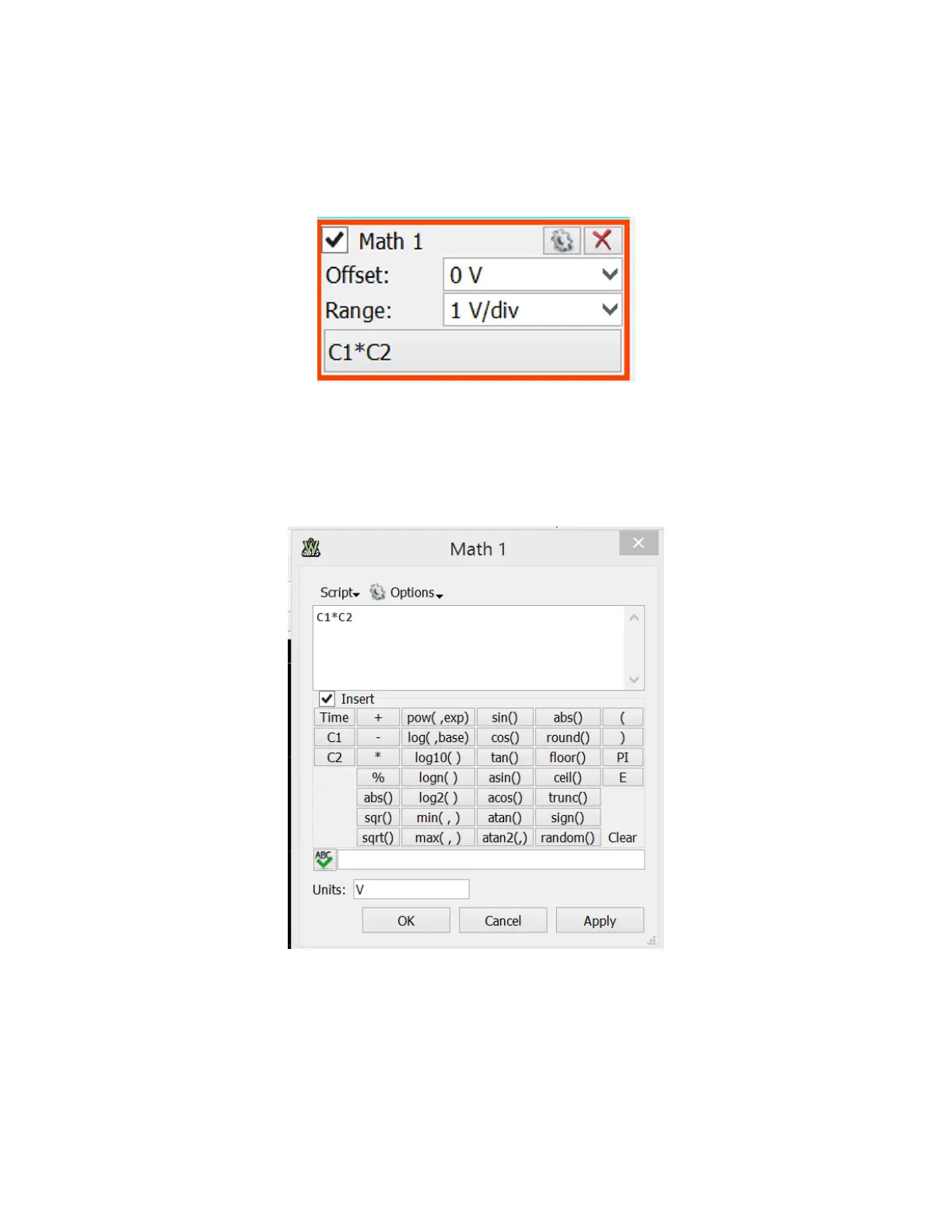
The last step in this demo is to generate and display the product of the two signal. Click on
“+Add Channel” button in the right hand side menu and choose “Custom”. This will add a
“Math1” menu (located under the Channel 2 menu) on the right hand side of the screen.
Configure the menu as shown below:
If “C1*C2” is not shown, click on that region of the menu. This will open a “signal calculator.”
Type C1*C2 in the top window of the calculator, as shown below. Then click “Apply.”
The AD2 scope will now display the two input signals and their product, as shown below.


 To Next Page