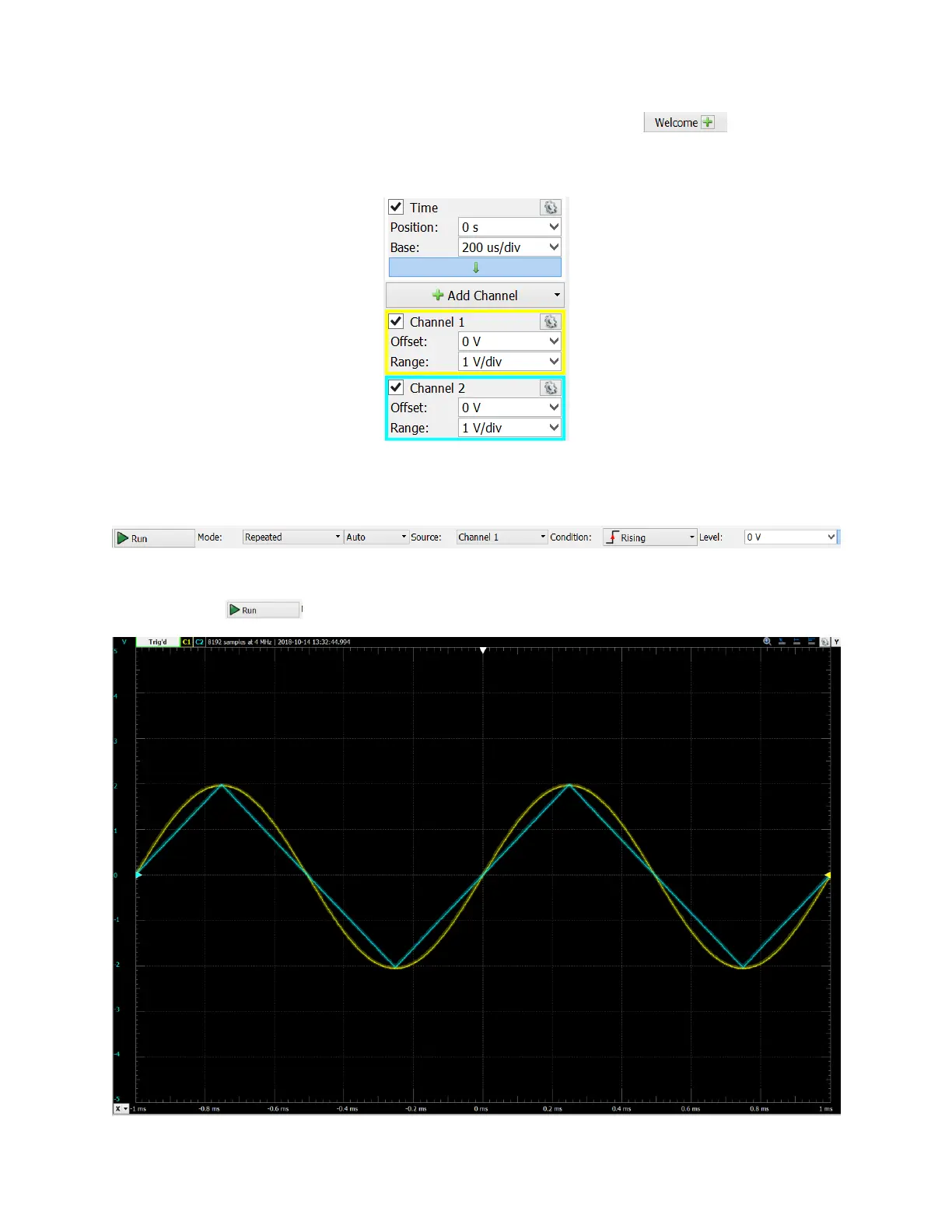
Next, you will display and configure the AD2 scope. Click on the icon and then click
on “Scope” in the left vertical menu. This will display the scope screen. Configure Time, CH1
and CH2 as follows:
Next, configure the triggering in the top menu as shown below:
Now, click the button. This should result is the following scope display:


 To Next Page