Digital Alert Systems: DASDEC User Manual
17
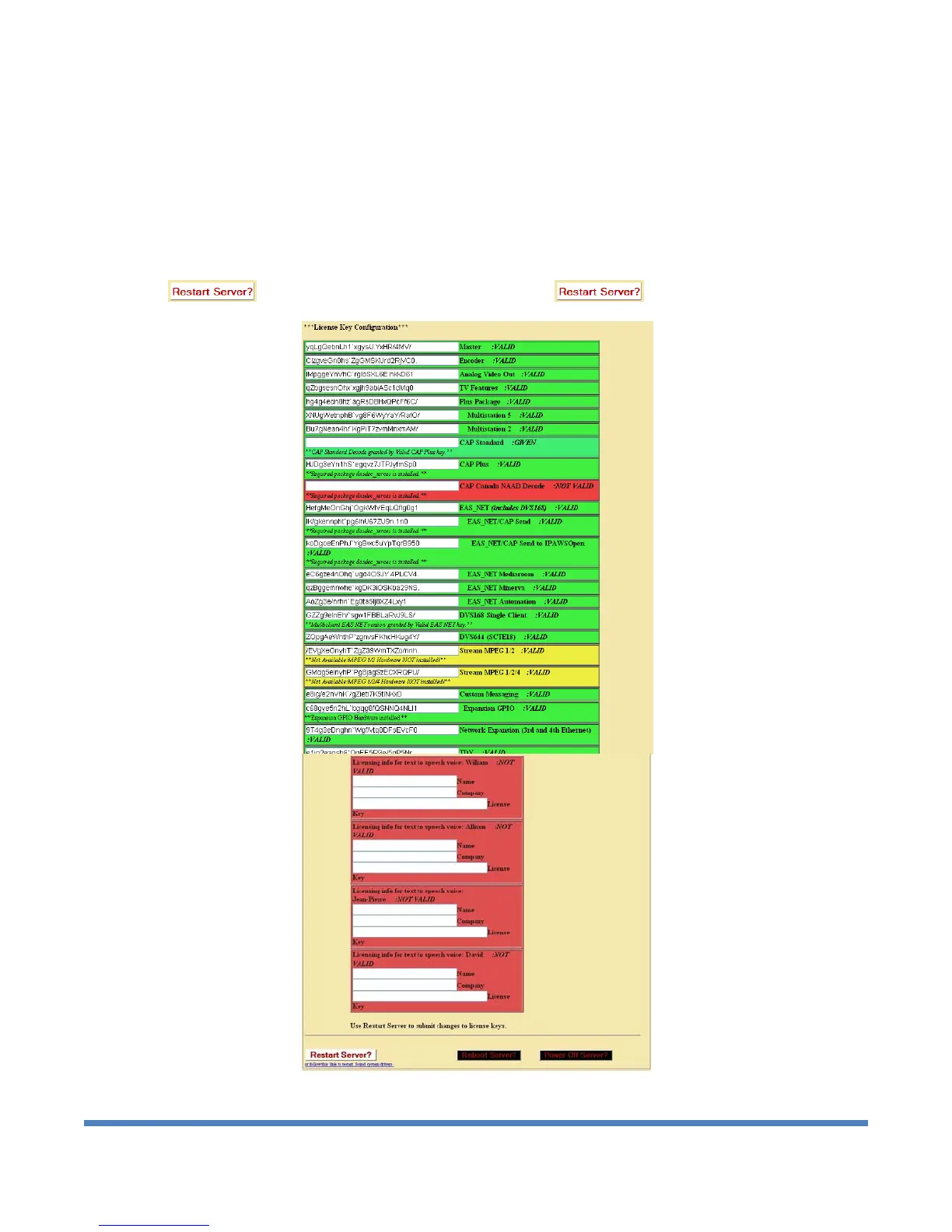
left, the license key display is green. The word VALID is shown to the right of the license key name.
Yellow license entry box: For options that also require specific hardware, the key display is yellow when the
text key entry is valid but the hardware is not installed. The word VALID to the right of the license key name
indicates the key is OK. A message states what hardware is not yet installed.
Red license entry box: When the text field is incorrect or blank, the feature display box will be red. The words
NOT VALID are to the right of the license key name.
Verify the license key configuration and make changes if needed. Submit changes to license keys using the
button. See NOTE before concerning use of the button.
Setup > Server > Main/License Web Page, License Key Configuration


 To Next Page