28 Digital Alert Systems: DASDEC User Manual
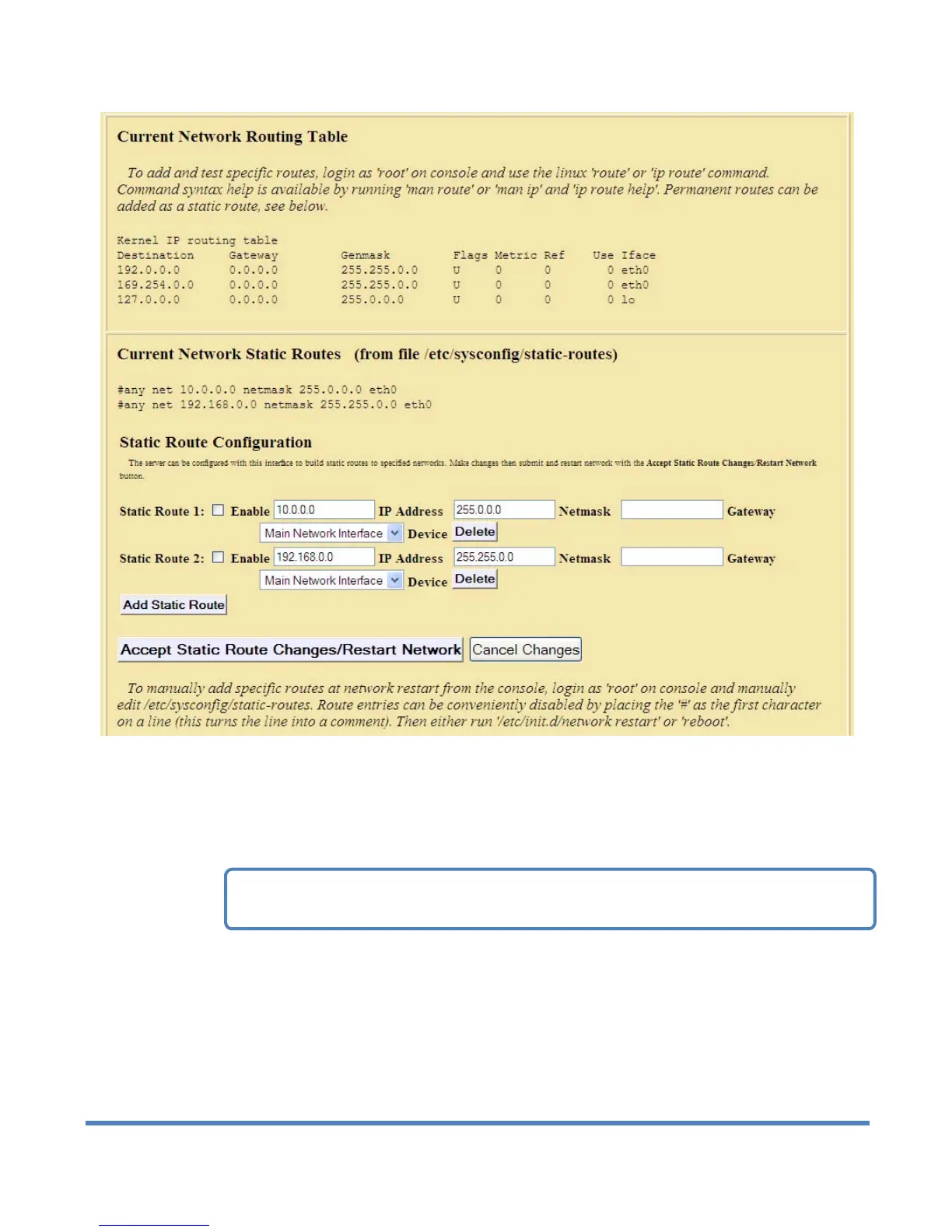
Setup > Network > Server Network Configuration (middle section of web page)
Static routes persist between rebooting of the DASDEC II. The DASDEC II comes preconfigured with
two static routes, either of which may need to be disabled depending upon the local area network.
These are 10.0.0.0 and 192.168.0.0. If the DASDEC II will be configured to run on a similar network, for
example 10.100.1.0, it is very likely that the default static-route of 10.0.0.0 should be disabled or
deleted.
Use the interface to control these requirements. The default static routes allow a DASDEC II to connect
to a 192.168.0.0 and 10.0.0.0 network by default, out of the box. Use this interface also to add other
needed routes out of your network. The provided user interface directly edits the file
/etc/sysconfig/static-routes. It is safe to directly edit this file as long as care is taken not to corrupt the
file. The contents of this file are displayed.
NOTE: A conflicting route can block network connectivity.



 To Next Page