46 Digital Alert Systems: DASDEC User Manual
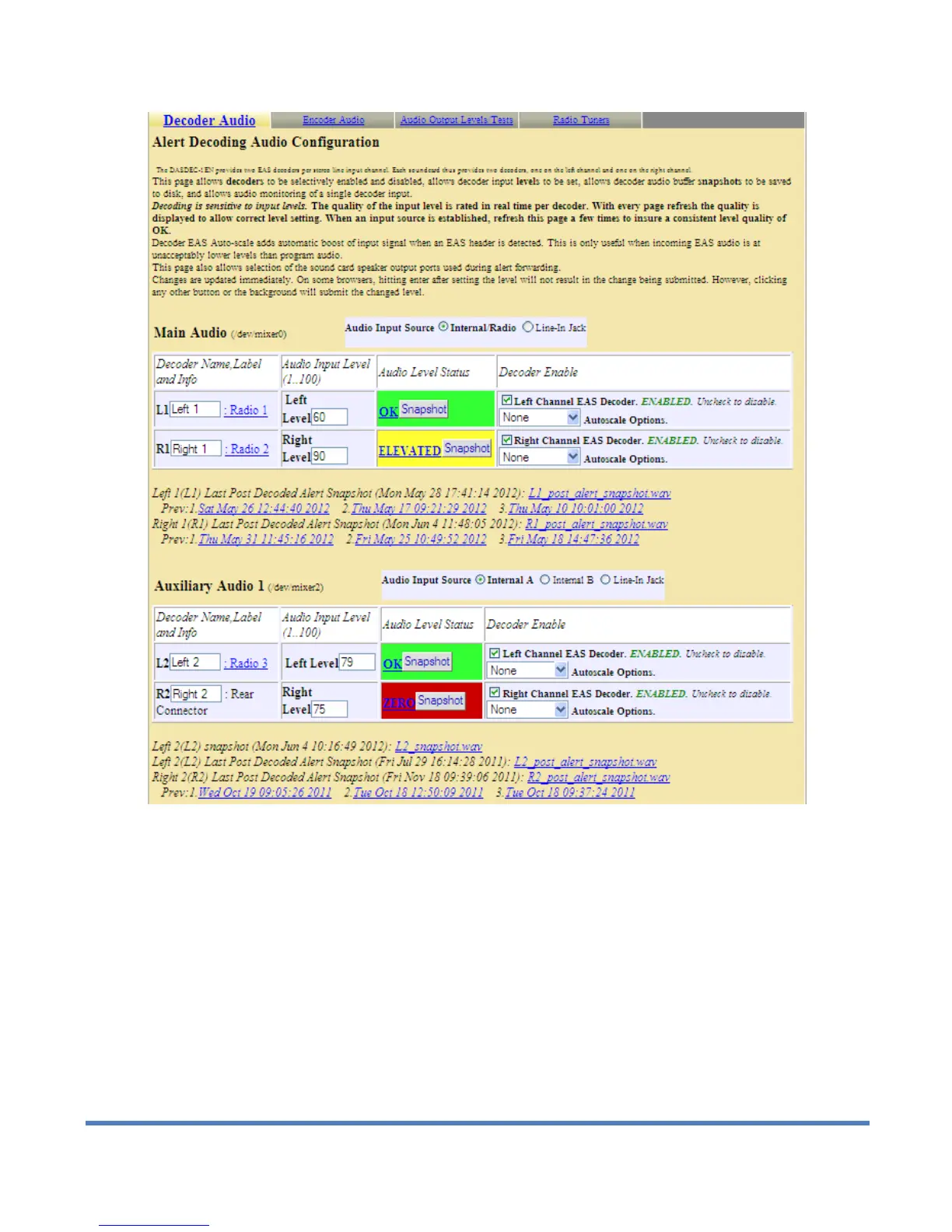
Alert Decoder configuration section for Setup > Audio > Decoder Audio, top half of web page
2. Decoder Audio Monitoring Configuration
Two interfaces in this section of the page allow a DASDEC user to hear the audio from a selected decoder
input.
1) The Select Decoder Audio to Monitor list presents all of the decoder audio channels available to hear.
2) The Decoder Audio Monitor Output list allows a specific output port to be selected to hear the audio
chosen in Select Decoder Audio to Monitor.


 To Next Page