Digital Alert Systems: DASDEC User Manual
81
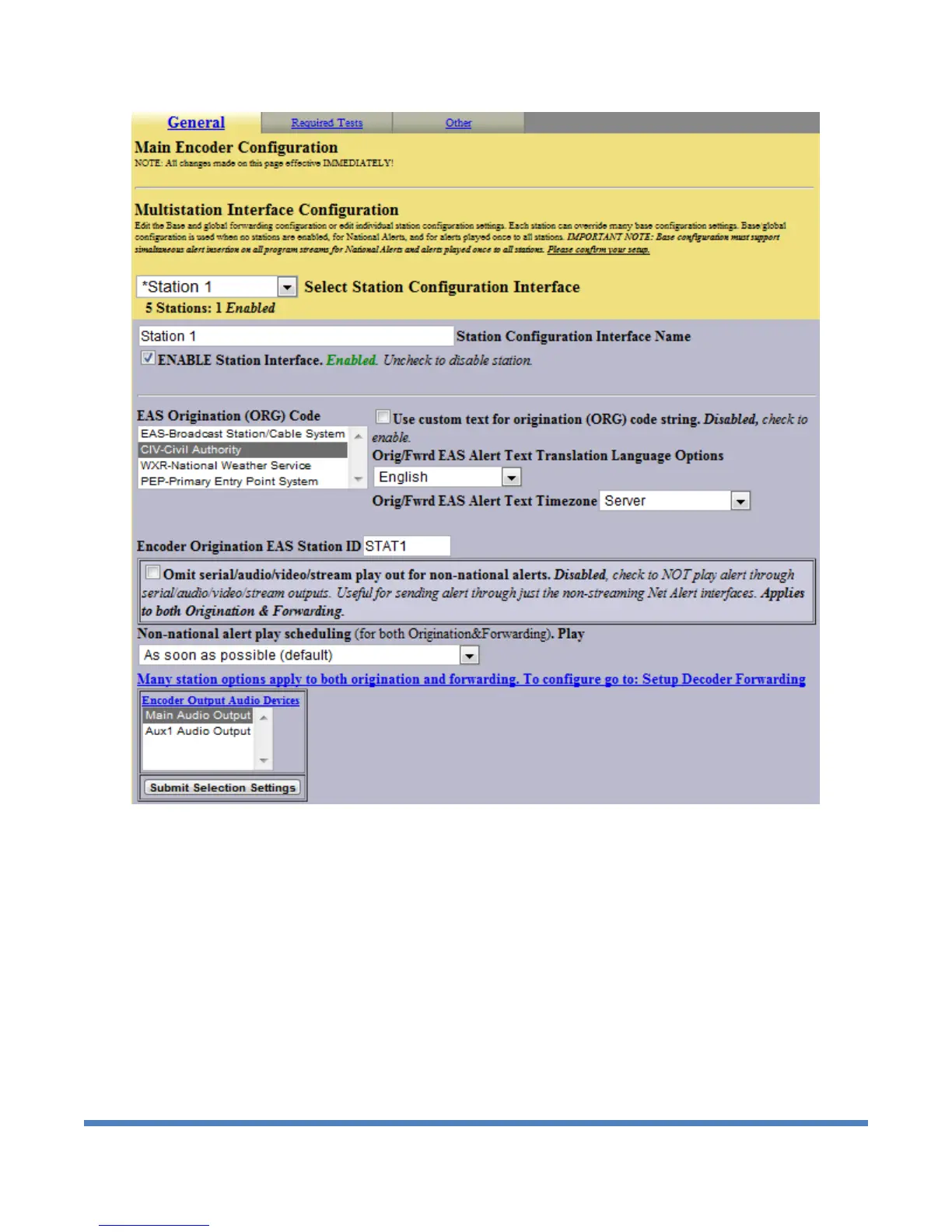
Setup > Encoder > General page showing Station 1 options
The Select Station Configuration Interface selector is used to between the base station configuration
and the individual station configurations. When a station is selected, this page displays a custom
interface with some options that apply only to originated alerts. The screen shot below shows the Setup
> Encoder > General page when a station is selected.
1. Select Station Configuration Interface
To edit station settings, use the pull down menu Select Station Configuration Interface to
select any station other than Base Station Info. This will display a special set of selection
options for the station.
2. Station Configuration Interface Name
You can rename the interface using the Station Configuration Interface Name text field. This
option changes the label displayed for the station in the pull-down menu Select Station
Configuration Interface. The name also appears in many other places on the DASDEC II user
interface where station references are made.


 To Next Page