EDGEVIS HD-IP200 HARDWARE INSTALLATION
ISSUED: 17 MARCH 2022 PAGE 6
Updating the software on the unit
Once notified of a new software release by Digital Barriers, updates are available for download from the EdgeVis
support site (see below for link) for installation onto the device.
There are three ways to update the firmware:
• To update remotely, upload the new firmware to the Firmware tab within the EdgeVis Server web interface
and then, from the Encoder tab, select Upgrade Firmware from the Select Action menu on the desired
encoder.
• Using the Upgrade Firmware option when logged into the encoder’s local web interface.
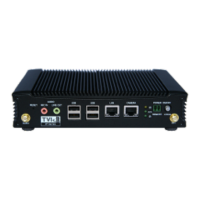
• Copy the firmware onto a USB flash drive and insert into a USB port on the front of the unit. The flash drive
can be inserted into a running unit or before the unit is powered up. The update procedure will commence
silently when the USB pen is detected, wait 30s to allow the encoder to find and install the firmware update.
After the firmware is installed it is safe to remove the pen and the unit will automatically reboot.
To access or register for the Digital Barriers Support Site, visit tvi-support.digitalbarriers.com


 To Next Page