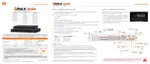
Privacy Mask
Hide specific areas in the camera’s Field of View (FoV) in Live and playback mode. Please
check that your camera supports this feature.
1. Click SET to configure a privacy mask.
2. Using the popup menu on the bottom right, select where to place the privacy mask,
select a color and index number to assign to it. Click SAVE to save the changes and
EXIT to return to the main setup page.
Copy Setting
To apply the settings to all cameras connected to the DVR, click on the Copy Settings
button:
1. Select the channel to get the setting.
2. Select the property (title or covert) to copy.
3. Select the target channel(s) to apply the settings. Click OK to apply the setting to
all the other selected channels(s).



 To Next Page
 Loading...