22
Appendix II – RS-232 control protocols
RS-232 Serial control (Baud rate 2400, 8 bits, 1 stop bit and no parity)
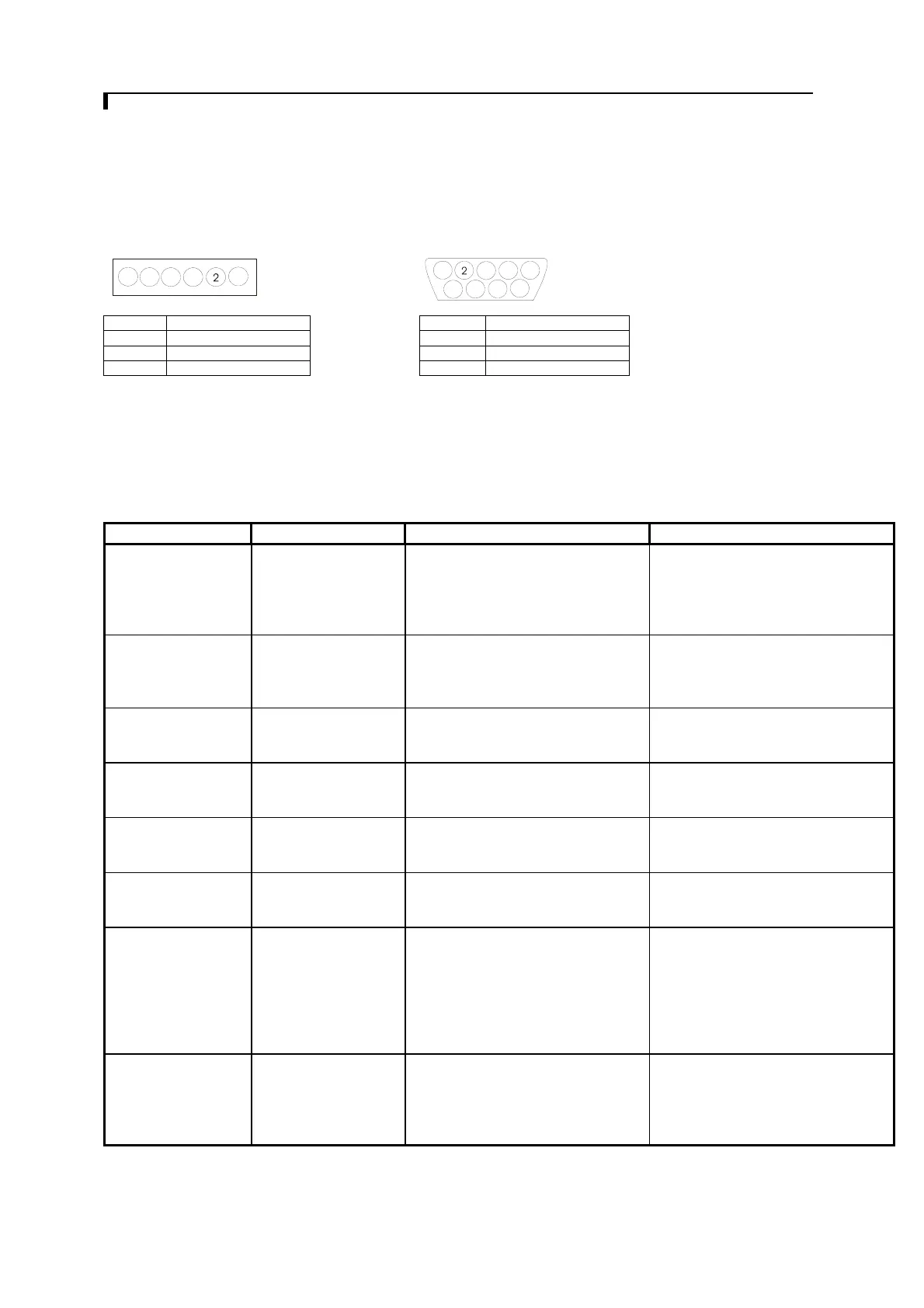
Physical connection :
Controller side Computer side
Connector interface : CN8 Connector interface : Serial port
Mating connector : JST XHP-6 Mating connector : DB9 Female
PIN# Description PIN# Description
4 RS-232 Tx Data 2 RS-232 Rx Data
5 Ground 3 RS-232 Tx Data
6 RS-232 Rx Data 5 Ground
Remark :
(1) : RS-232 connection cable, 600mm P/N 4260902-00 can be ordered separately for connection.
Software connection :
The OSD function can be controlled through sending the RS-232 protocol.
The RS-232 program can be custom-made to fit for application or it can be used the program provided by Digitalview on
request. Please contact your local sales for informations.
Function Command Description Acknowledge (if enabled)
Brightness control 0x81,
nn | “+” | “-” |
“r” | “R” |
“?”
Set brightness =
value/increment/decrement
Reset
Query
Set Brightness
Range : “0””0”-“F””F”
Default : “8””0”
Each step interval is in 1
Contrast control 0x82, “a” | “A”,
nn | “+” | “-” |
“r” | “R” |
“?”
Set all contrast =
value/increment/decrement
Reset
Query
Set Contrast
Range : “4””0”-“F””F”
Default : “8””0”
Each step interval is in 1
Phase 0x85,
nn | “+” | “-” |
“?”
Set dot clock phase =
value/increment/decrement
Query
Dot clock phase.
(In PC mode only)
Image H position 0x86,
nnnn | “+” | “-” |
“?”
Set img_hpos =
value/increment/decrement
Query
Image horizontal position.
Image V position 0x87,
nnnn | “+” | “-” |
“?”
Set img_vpos =
value/increment/decrement
Query
Image vertical position.
Frequency 0x8b,
nnnn | “+” | “-“ |
“?”
Set H active size =
value/increment/decrement
Query
Graphic mode H active size (in
pixels)
Colour
temperature select
0xb3,
n |
“r” | “R” |
“?”
Select colour temperature =
value
Reset
Query
Main selected.
“0” – user defined RGB values.
“1” – 4200K.
“2” – 5000K.
“3” – 6500K.
“4” – 7500K.
“5” – 9300K.
Red level for
selected colour
temperature
0xb4,
nn | “+” | “-” |
“r” | “R” |
“?”
Set the level of the red channel
for the selected colour temp. =
value/increment/decrement
Reset
Query
Red level for selected colour
temperature.
Range : “8””0”-“F””F”
Default : “F””F”
54
6
3
1
7
8
9
Mating face of CN8 Mating face of RS-232 DB9 Male
5 4
6
3
1


 To Next Page
 Loading...