7
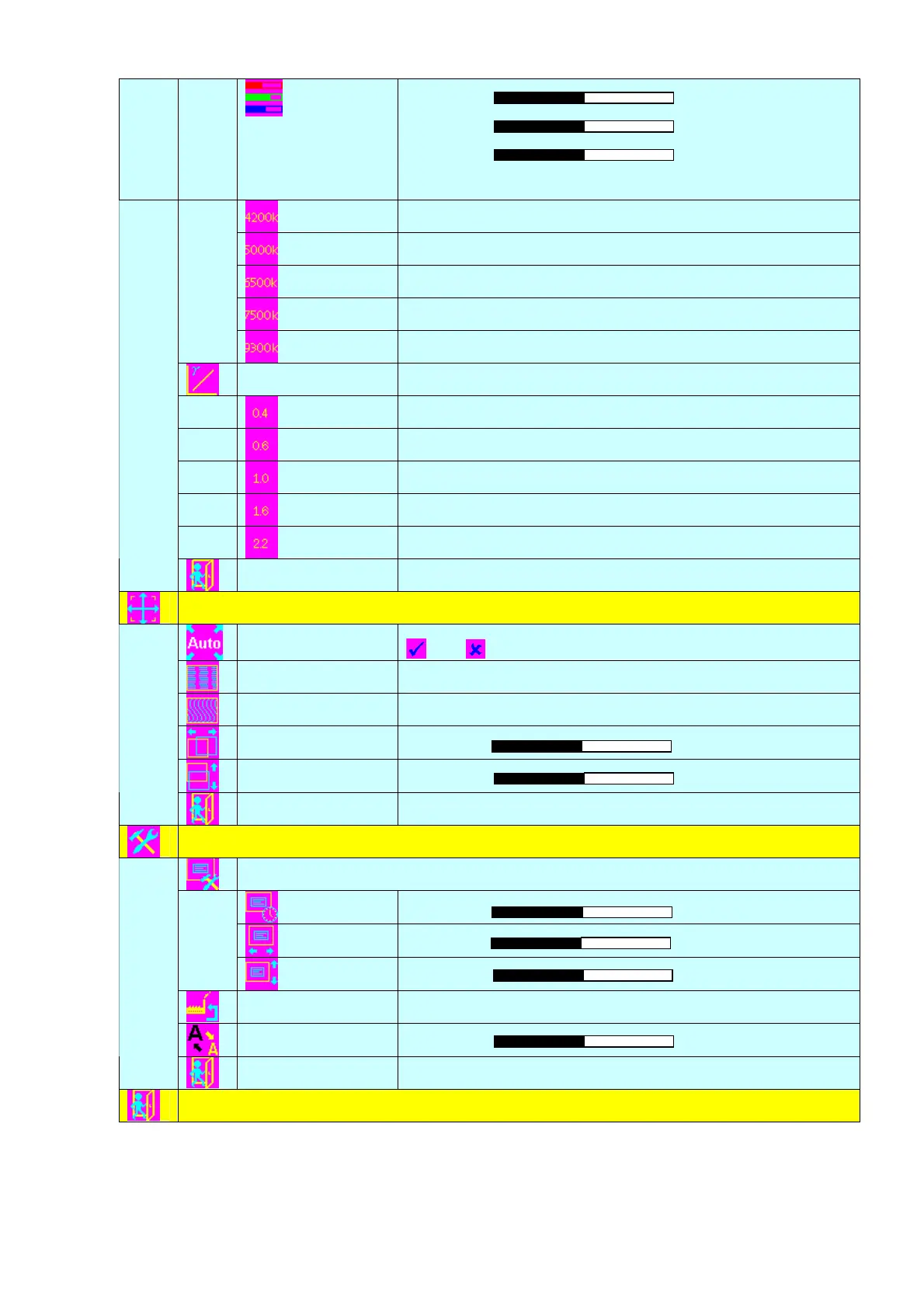
Adjust red color level
Press – or + (- +) Total :128 steps
Adjust green color level
Press – or + (- +) Total : 128 steps
Adjust blue color level
Press – or + (- +) Total : 128 steps
Press SEL UP/DN button to select item
Set the color temperature to 4200K
Set the color temperature to 5000K
Set the color temperature to 6500K
Set the color temperature to 7500K
Set the color temperature to 9300K
Gamma adjustment4
Adjust Gamma settings (0.4 / 0.6 / 1.0 / 1.6 / 2.2)
Select Gamma to 0.4
Select Gamma to 0.6
Select Gamma to 1.0
Select Gamma to 1.6
Select Gamma to 2.2
Exit
Exit the OSD menu and save the settings
Position
Autosetup
Auto adjust the positions, phase, frequency
Yes No
Frequency
Adjust the image horizontal size
Phase
Fine tune the data sampling position (adjust image quality)
Image Horizontal
Position
Use +/- to move the image horizontally
Press – or + (- + )
Image Vertical
Position
Use +/- to move the image vertically
Press – or + (- + )
Exit
Exit the OSD menu
Utilities
OSD setting 4
OSD Timeout : 1 - 15 seconds
Press – or + (- + )
OSD menu horizontal position
Press – or + (- + )
OSD menu vertical position
Press – or + (- + )
Load Factory Default
Initialize the setting stored in non-volatile memory
Sharpness
Adjust sharpness level
Press – or + (- + ) Total : 7 steps
Exit
Exit the OSD menu
Exit the OSD menu
[Firmware version : V1.50 or up]
Items marked 4 have sub menus.
Exit the OSD menu to save the setting chosen


 To Next Page
 Loading...