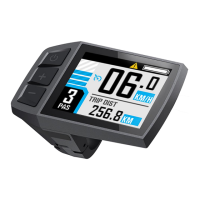
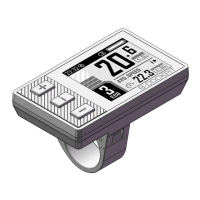
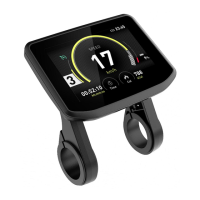
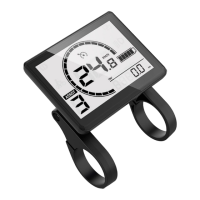
The Digitech BC281 Model is an advanced display unit designed for electric bikes, offering a comprehensive suite of riding parameters, statistical results, and useful functions to enhance the riding experience. It serves as a central interface for monitoring and controlling various aspects of an ebike, with a focus on real-time data, user convenience, and connectivity.
Function Description
The BC281 display provides real-time information crucial for riders, including:
- Real-time speed, Max speed, and Average speed: Essential metrics for tracking performance.
- Real-time motor power: Allows riders to monitor the power output of their ebike's motor.
- Battery indicator: Keeps track of the remaining battery charge.
- Assist level: Displays the current level of pedal assistance.
- Odometer and Trip distance: Records total distance traveled and distance for the current trip.
- Trip time: Measures the duration of the current ride.
- Calorie burnt: Estimates calorie consumption during a ride.
- Light indicator: Shows the status of the ebike's lights.
- Metric (km/h) / Imperial (mph) switching: Allows users to choose their preferred unit of measurement.
- Error codes indicator: Alerts the rider to potential issues with the ebike system.
- Auto headlights: Automatically controls the ebike's headlights.
- Brightness adjustment and automatic backlight: Ensures optimal visibility in various lighting conditions.
- Auto Power-off: Configurable automatic shutdown to conserve battery.
- USB Port (5V/500mA): Provides a convenient charging port for external devices.
For the Bluetooth version of the BC281, additional functions are available:
- APP connection: Connects to a dedicated smartphone application.
- Data synchronization: Syncs riding data with the app for detailed analysis.
- Riding ranking: Allows users to compare their performance with others.
- Riding track recording: Records the route taken during a ride.
Important Technical Specifications
The physical dimensions of the BC281 display unit are approximately 86.00 mm in height, 59.00 mm in width, and 13.80 mm in depth. The screen itself is 2.8 inches. The DTK3 button unit, which serves as the control interface, has dimensions of 43.91 mm in width and 18.78 mm in depth. The display is designed to be mounted on handlebars with diameters of 31.8 mm, 25.4 mm, or 22.2 mm. The USB port provides a 5V/500mA output.
The device supports two main communication protocols for error codes:
- KM5S protocol Error Code:
- 21: Current or Mos Error
- 22: Throttle Error
- 23: Motor Phase Error
- 24: Motor Hall Error
- 25: Brake Error
- 26: Low-voltage protection
- 30: Communication Error
- Li2 protocol Error Code:
- 02: Brake Error
- 06: Low-voltage protection
- 07: Motor Phase Error
- 08: Throttle Error
- 09: Current or Mos Error
- 14: Motor Hall Error
- 30: Communication Error
These error codes are crucial for diagnosing issues with the ebike's electrical system.
Usage Features
The BC281 offers intuitive control through its DTK3 button unit, which includes a [Power] button, a [+] button, and a [-] button.
Power On/Off:
- Power On: Long press the [Power] button for approximately 1.5 seconds to turn on the device. The boot interface will be displayed briefly before transitioning to the riding interface.
- Power Off: Long press the [Power] button for about 2 seconds from any interface to initiate shutdown. A shutdown interface will be shown before the device powers off.
Riding Interface:
The display offers various riding interface styles, which can be cycled through by clicking the [Power] button:
- Simple Mode: Displays battery indicator, light indicator, real-time speed, speed unit, real-time motor power, assist level, and trip distance.
- Sports Mode: Adds riding time, calorie burnt, and maintains other key metrics.
- Statistical Mode: Provides an "OVERALL" view including trip distance, trip time, average speed, max speed, calorie burnt, total distance (odometer), assist level, real-time speed, and speed unit.
Assist Level Switch:
- Click the [+] or [-] buttons to easily switch between different assist levels.
- Press and hold the [-] button to enter push mode, which provides assistance for walking the ebike. Releasing the button exits push mode.
User Menu:
To access the user menu, long press the [+] and [-] combination buttons for 2 seconds while the ebike is static (speed is 0). This safety feature prevents accidental menu access during a ride. Within the menu, the [+] or [-] buttons are used to navigate submenus, and the [Power] button is used to select an option.
The user menu includes:
- Clear Data:
- Clear Trip Data: Allows clearing of trip distance. This action also clears trip time, max speed, average speed, and calories burnt for the current trip.
- Setup:
- Auto Headlight: Enables or disables the automatic headlight function.
- Set Unit: Switches between Metric (Km) and Imperial (Mile) units.
- Set Brightness: Adjusts the backlight brightness level from 0 to 5 using the [+] or [-] buttons.
- Auto Power-Off: Configures the automatic power-off time in minutes (0-99), where 0 means no automatic power-off.
- System Info: Displays system information such as wheel size, speed limit, and HMI version.
- Connect to APP (Bluetooth version only): Provides a QR code for Bluetooth connection to the dedicated Digitech app.
APP Connectivity (Bluetooth version):
Users can download the Digitech app by scanning a provided QR code. Once installed, selecting "Connect to APP" in the user menu will display a Bluetooth connection QR code, which can be scanned with the app to establish a connection.
Maintenance Features
The manual provides important guidelines for the care and maintenance of the BC281 display:
- Power Off Before Connection/Disconnection: Always ensure the ebike is powered off before connecting or disconnecting any cables to prevent damage to the display.
- Installation Torque: When fixing the display to the ebike, use a screwdriver with a torque of approximately 0.2 Nm (DO NOT EXCEED 0.6 Nm) to avoid damaging the handle or the display.
- Water Immersion: Do not submerge the display in water.
- Cleaning: The display can be wiped with a wet and soft cloth. Avoid using chemical liquids or sprays on the display.
- Disposal and Recycling: Abide by local laws and regulations for environmentally friendly disposal or recycling of the device. Do not discard it as resident waste.
- Warranty: Damage or failure resulting from improper installation or use is not covered by the after-sale warranty.
- Support: For further information and support, users can contact support@riding-evolved.com.
The Digitech BC281 Model is a robust and feature-rich ebike display designed to provide riders with essential information and control, enhancing both safety and enjoyment during their rides.

 Need help?
 General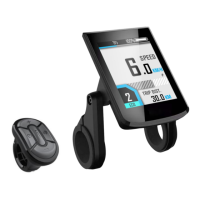

 To Next Page