Need help?
Do you have a question about the DigiTech RP-10 and is the answer not in the manual?
Essential safety guidelines, hazard symbols, and general precautions for using electrical products.
Guidelines for connecting power and protecting the unit from voltage fluctuations.
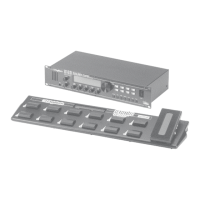
Explanation of the RP-10's buttons, display, and pedalboard layout.
Details and functions for all input and output ports on the rear of the unit.
Steps for adjusting parameters of existing presets.
Choosing the core signal processing chain for a program.
Procedure for saving custom programs with user-defined names.
Detailed explanation of analog compressor and distortion modules and their parameters.
Controls for tonal shaping and simulating speaker cabinets.
Description of reverb effects, including BigVerb and Gated Reverb.
Parameters for digital delay effects and the 1.5-second sampler module.
Explanation of pitch shifting, detuning, whammy, and modulation effects.
 General
| Type | Multi-effects Processor |
|---|---|
| USB | No |
| Expression Pedal | Built-in |
| Display | LED |
| Effects | Chorus, Delay, Reverb, Distortion, Compressor, EQ |
| Presets | 100 |
| Inputs | 1 x 1/4" |
| Outputs | 2 x 1/4" |
| MIDI | In, Out/Thru |
| Power Supply | AC adapter |


 To Next Page