10
4. Setting:
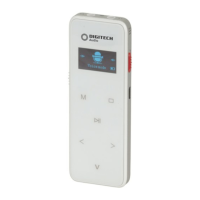
Press and hold the “M” Menu button to enter into menu mode including Voice,
Music, FM and Setting. Press the left “<” and “>” right arrow buttons to choose the
setting, press the “M” Menu button to enter in to the settings below:
Press the “M” Menu button, Left”<” and ”>” right arrow to select your required
setting.
Time & Date:
System Time: Press the “M” Menu button, Left “>” and “<” right arrows to select
set date or time.
Record Time: Set this time and date to show a stamp on the recordings when
they are displayed on the computer.
Press the “V” Volume button and the left “<” and “>” right arrows to change the
settings.
PC Connection:
Please connect the voice recorder to your pc using the included Micro B cable.
The name XC0389 will automatically pop up as a removable storage device.
If it does not open automatically then go to my computer, it should show up as a
removable storage device.
1. Contrast
2. Backlight
3. Auto O
4. Language
5. Key Tone
6. System Time
7. Record Time
8. Memory Info
9. Firmware Version
10. Clear Memory
11. Reset Default Setting
NOTE: Please set the time & date again if the battery has run completely flat
as the default date may be reset.


 To Next Page