9
Auto Search:
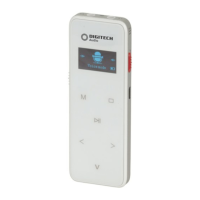
In the FM state; press the “M” Menu Button,”<” left and “>” right arrow buttons to
select “Auto Search”, Press the “M” Menu button to confirm and press the “>” “<”
left and right arrow buttons to select “YES” or “NO”.,
Please Note: The channel will become saved automatically and the radio station
will be saved in the channel list according to the order of frequencies.
Save Radio Station:
Press the “M” Menu button to select “Save Channel”, make the selection with the
“>” and “<” left and right arrow buttons to select “Save channel”
Press the “M” Menu button to confirm.
Please Note: The voice record can store up to 40 radio stations at one time.
Saved radio stations can be seen from the channel list. Press the “<” or “>” left and
right arrows to switch among the list of saved radio stations in sequence from 1
to 40. Press the “M” Menu button to confirm and the Stop button to return..
FM Recording:
In the radio mode; press the “M” Menu button, Left “<” and “>” right buttons to
select the FM recording.
Press the “M” Menu button to start recording the radio station.
Save Recordings:
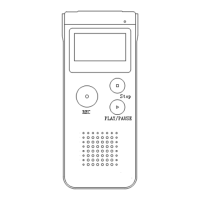
In FM recording mode; press the Stop button to save the radio station ,the screen
will display “Radio” and “Voice”. Press the Left “<” and “>” Right arrow buttons to
select “Radio” which will go back to the FM mode
The “Voice” mode will go back to the stopped music state.
Delete / Delete All:
In FM mode; press the “M” Menu buttons and “>” , “<” to confirm deleting one
radio station or all.
You can choose Delete Channel to delete a current saved radio station or Delete
all the saved radio stations.
Press and hold the “M” Menu button to exit from FM mode.


 To Next Page