8
Replay Times/Replay gap:
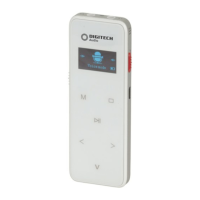
While you are playing a recorded file; press the “M” Menu button and the right “>
or <” left arrow buttons to select Replay times, press “M” Menu button to enter
into and adjust from “0” to “10” with right “>” or “<” left arrow buttons, “+”,“- ”to
adjust.
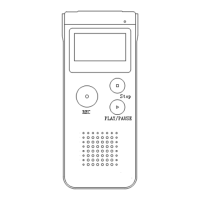
Now press the “M” Menu button to execute the selection and press the ” ” Stop
button to exit.
2. Music Mode:
In standby mode; press and hold the “M” Menu button, the LCD will display “Voice
M” Music mode, FM mode and System Setting. Select the “Music” setting with “>”
and “<” left and right arrow buttons, press the “M” Menu button to confirm.
Press the “ “ Play/Pause button to playback, press again pause and Stop button to
stop.
Previous/Next:
When the file is playing, Press the “< “Left Arrow button to select the previous
track, press the “> “ Right Arrow button to select the next track.
Press and hold the “<”Left Arrow button to rewind, press the “>” Right Arrow
button to Fast Forward.
VOL+/ VOL-:
When the file is playing or has stopped, press the “V “ Volume Button first, and the
+” and “-” buttons to adjust the volume of the track.
3. FM Radio Mode (Only Played Through Earphones):
Manual Search:
In music mode; press and hold the “M” Menu button to enter the “Music Mode”,
”Radio Mode” and “Setting”. Press the “>, <” left and right arrow buttons to select
“Radio Mode”. Press the “M” Menu button to enter after you are ready to listen
once you have plugged in the earphones.
Press the “>”or“<” left and right arrow buttons to choose the radio station that
you require; Press and hold the “<”or“>” left and right arrow buttons to adjust the
radio station frequency in a single direction and press the Play/Pause button to
stop at your required radio station.
NOTE: The FM radio mode can only be heard through the earphones, the
earphones act as an antenna and will not allow you to play through the
voice recorder’s speaker. Any earphones are suitable to use.


 To Next Page