7F. LANGUAGE
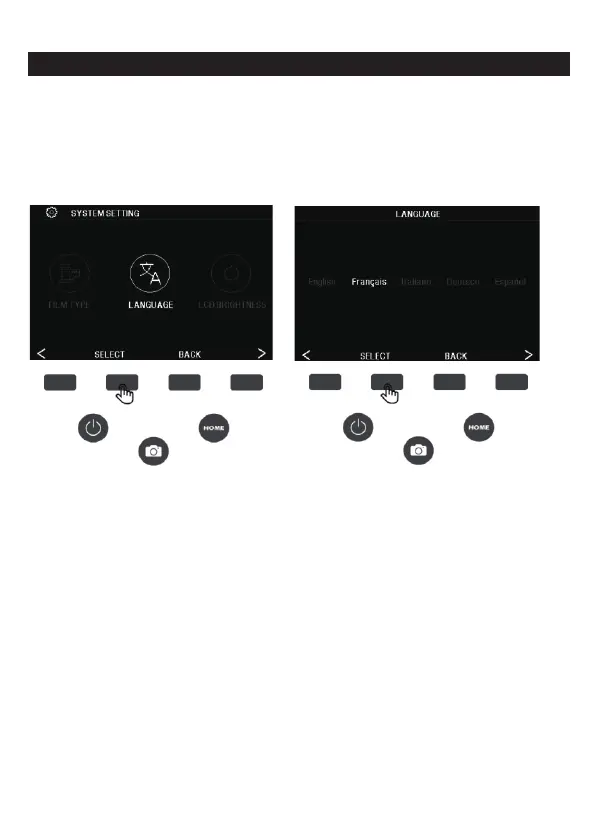
In the setting interface, press the corresponding function key of the
language to enter the language setting, press the (<) (>) left and right
button to select the language, press the SELECT key to confirm the
setting, to exit the language setting, press the BACK key.
Available languages include: English, French, Italian, German,
Spanish.
22 - EN



 To Next Page