◆ Operation Guide
Home/MODE: Main menu
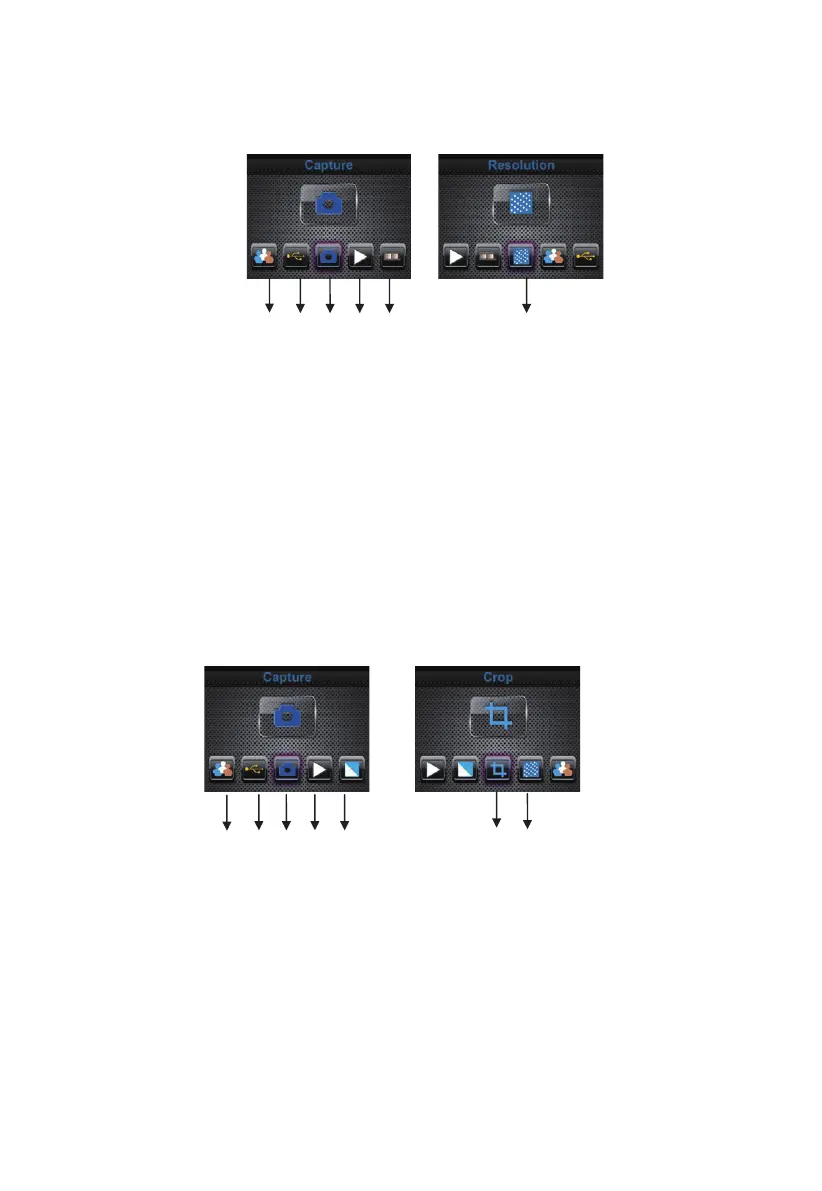
When the Film scanner mode is selected, the following main menu will appear:
① Language mode
② USB mode
③ Capture mode
④ Playback mode
⑤ Film Type
⑥ Resolution
When the Photo scanner mode is selected, the following main menu will
appear:
① Language mode
② USB mode
③ Capture mode
④ Playback mode
⑤ Effect: multicolor, B&W
⑥ Crop proportion: (5”x7” (5R), 4”x6” (4R), 3 ½”x5” (3R), name card)
⑦ Resolution
① ②
③
④
⑤
①
② ③ ④
⑤
⑥
⑥
⑦
9 - EN



 To Next Page