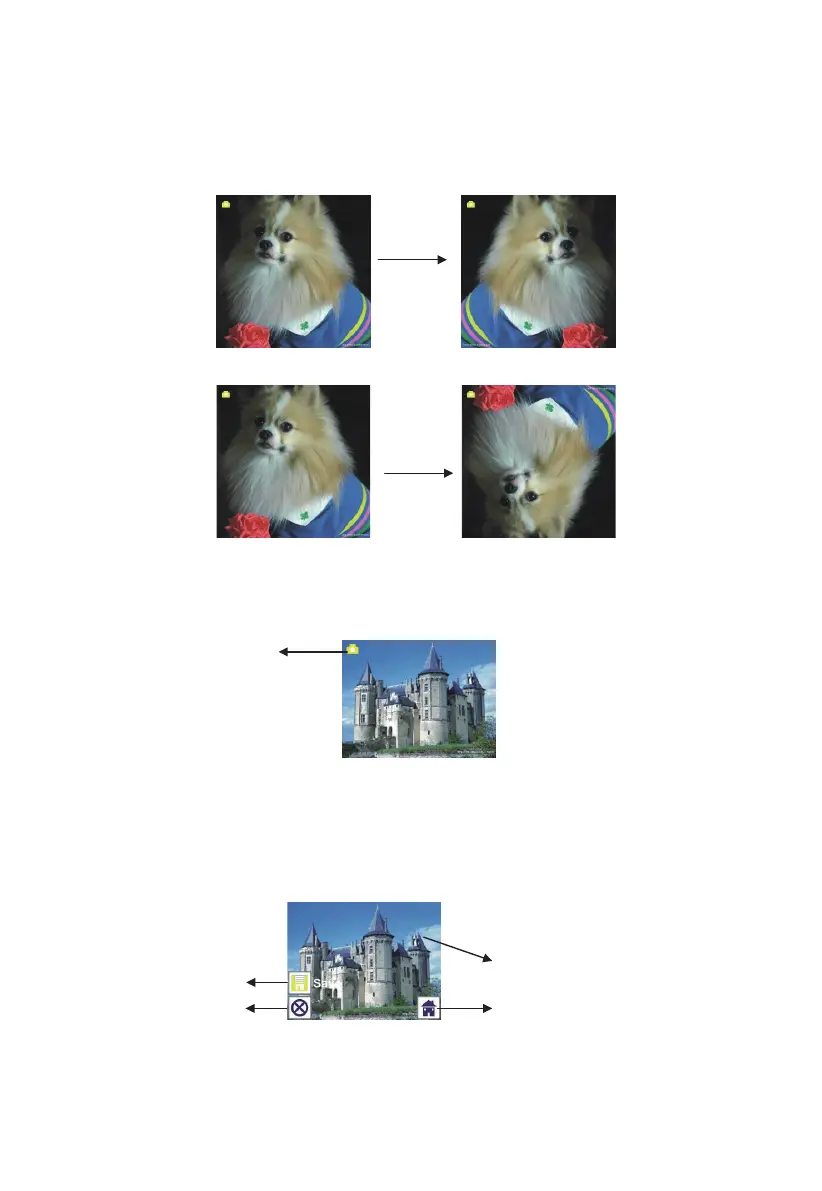
1.2 Capture: Mirror/Flip(Hard Key)
If any image requires for Mirror or Flip before capture, press LEFT/RIGHT
button for Mirror/Flip function, the live view will be adjusted accordingly(This
step is to correct user misplaced the film/photo either upside down or flip).
Mirror and Flip function can only be used while in the live view mode.
Press LEFT button to change image left to right
Press RIGHT button to upside down image
1.3 Capture mode
Once entered capture mode, there will be an indicator on the left top corner to
indicate it is in live view mode.
User can also press ENTER button, then press LEFT/RIGHT button to adjust
EV value, press SCAN button again to confirm and back to live view mode.
1.4 Capture: Edit Menu
① Save: save captured image
② Cancel: cancel any editing with this image
③ Home: back to main menu
②
①
③
11 - EN



 To Next Page