2.1 Playback: Auto Slide Show
Once user enter playback mode (default to slide show), TFT will auto display
all images stored in internal memory or memory card with 2 seconds interval
from previous captured image. User can also stop the slide show by press
ENTER button (Only the images captured by the film & photo scanner are
available in playback mode)
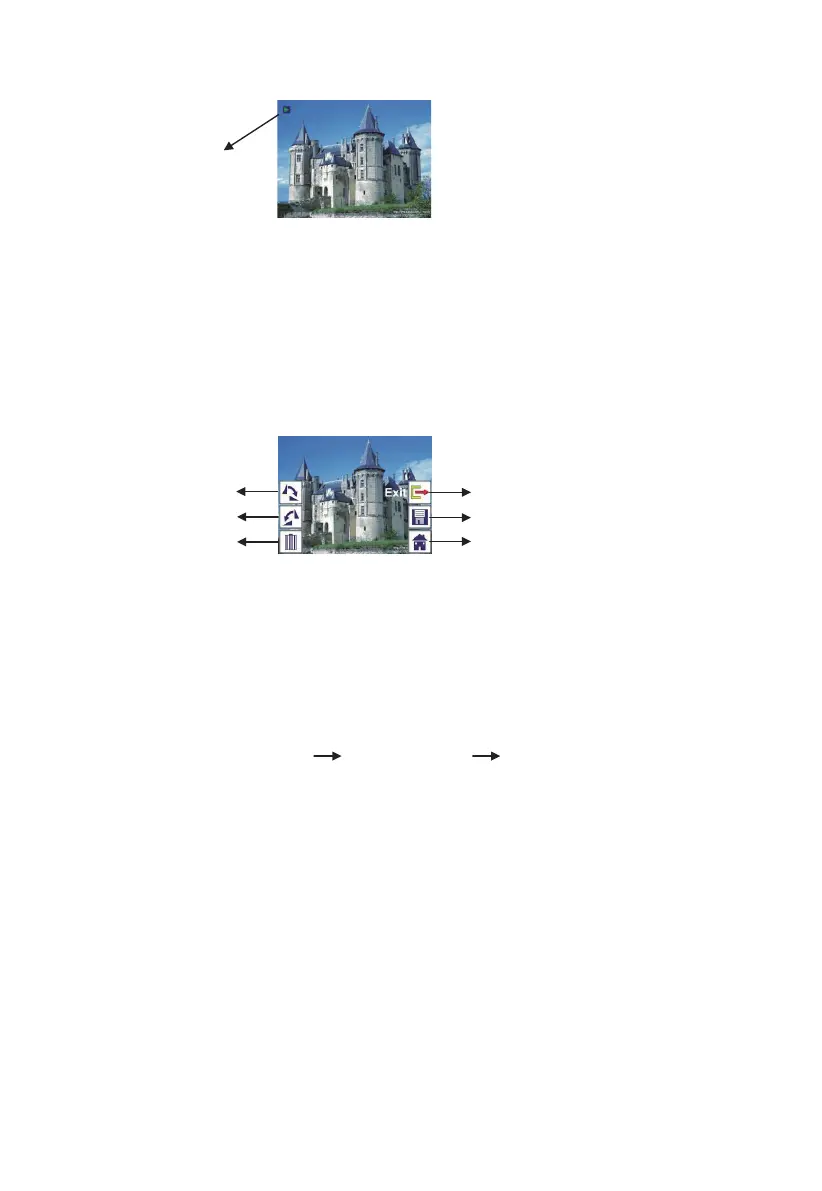
2.2 Playback: Edit Menu
① Rotate +90: captured image rotate +90 degrees
② Rotate –90: captured image rotate –90 degrees
③ Delete: delete this picture stored in internal memory or memory card
④ Exit: return to Slide show mode
⑤ Save: save the modified image to internal memory or memory card
⑥ Home: return to main menu
2.3 Playback: Slide show Single picture Edit mode
User can interrupt (stop) slide show mode to stand alone playback mode
(single picture playback) by press ENTER bu
tton. (Pause slide show) Then
user is able to scroll each picture by LEFT/RIGHT button. Once user select the
picture stored in internal memory or memory card which intended to be
modified, press ENTER button again to bring out the edit mode for
modification.
If there is no memory card inserted or no image in internal memory, TFT will
auto display 20 frames stored in internal memory when enter playback mode,
①
②
③
④
⑤
⑥
14 - EN


 To Next Page
 Loading...


