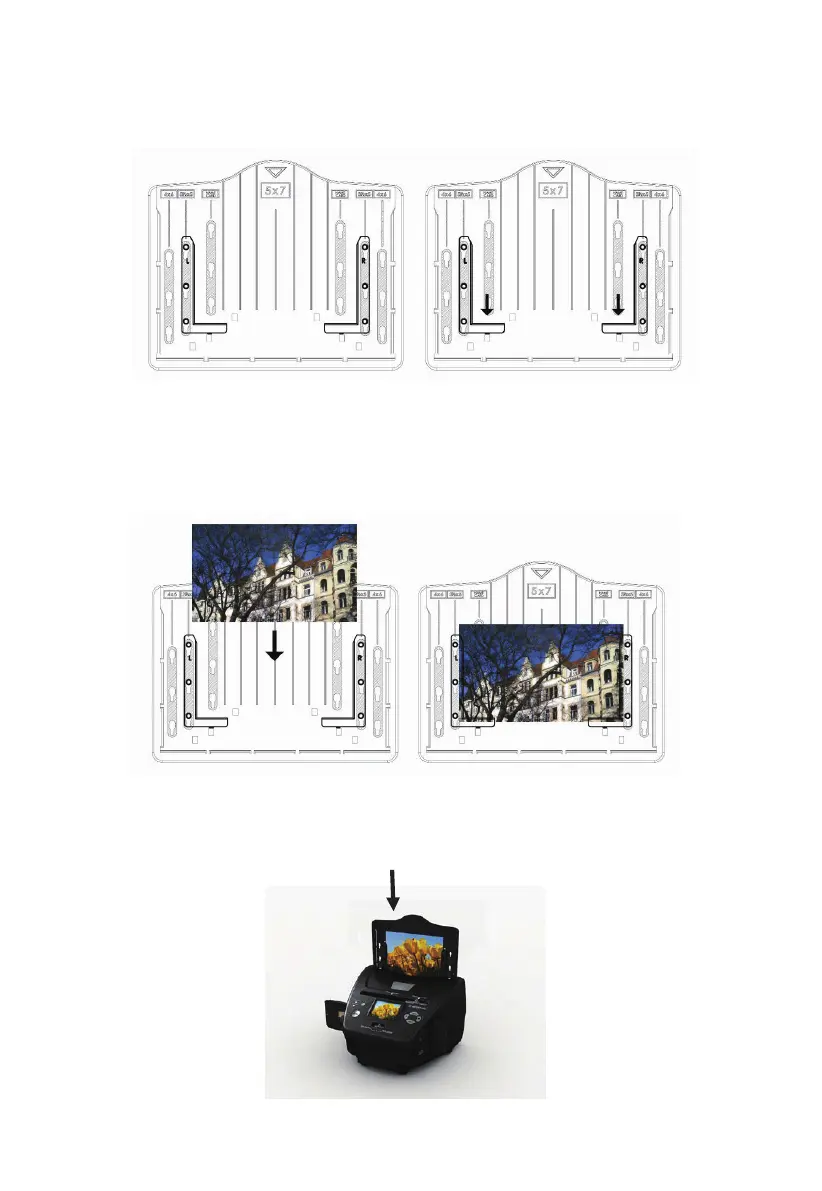
Place the brackets into the slots and slide the brackets downwards to secure.
Check that they are securely fastened by turning the photo tray upside down.
The brackets should not fall off.
Insert the photo into appropriately sized photo tray (5”x7” (5R), 4”x6” (4R), 3
½”x5” (3R), name card)
Insert the photo tray into the photo tray slot from the top of the film & photo
scanner as shown.
1. Place brackets in photo tray 2. Slide brackets downwards to secure
7 - EN



 To Next Page