18 - DE
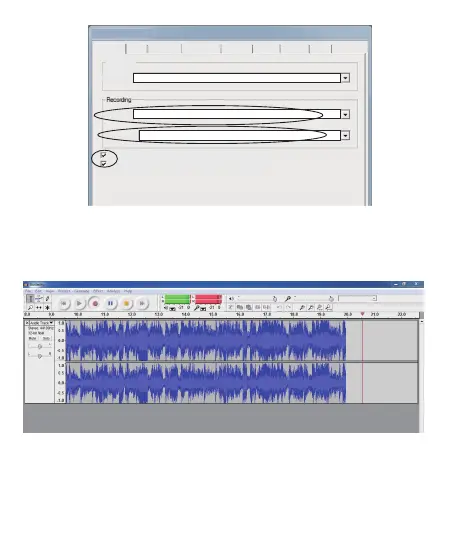
B,Jetzt fangen wir an, analoges Audio aufzunehmen, um eine digitale
MP3-Datei zu erstellen. Bitte klicken Sie auf die rote Aufnahmetaste, um
die Aufnahme des gewünschten Audios zu starten.
Und wenn Sie fertig sind, klicken Sie bitte auf die gelbe Stopptaste.
Device:
Microphone Array(USB Microphone)
Device:
Playback
Audio I/O
Audacity Preferences
Quality
File Fomats
Spectrograms
Directories
Interface
Keyboard
Mouse
Microsoft Sound Mapper- Output
Channels:
Play other tracks while recording new one
Software Playthrough (Play new track while recording it)
2(Stereo)



 To Next Page