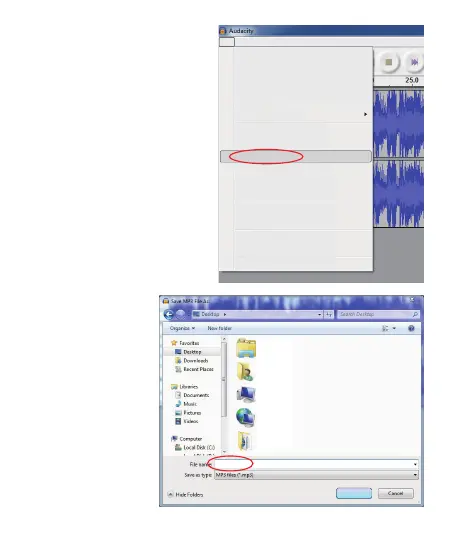
In un primo tempo, abbiamo
bisogno di fare più passaggi se
vogliamo esportare nel formato
MP3. Fai clic su “File” e selezionare
“Esporta come MP3”.
41 - IT
È necessario dare un
nome file e la posizione
ora.
File
Edit View Project Generate Effect Analyze Help
New
Open...
Close
Save Project
Save Project As...
Recent Files...
Export As WAV...
Export Selection As WAV...
Export As MP3...
Export Selection As MP3...
Export As Ogg Vorbis...
Export Selection As Ogg Vorbis...
Export Labels...
Export Multiple...
Page Setup...
Print...
Exit
Ctrl+N
Ctrl+O
Ctrl+W
Ctrl+S
Libraries
System Folder
DR
System Folder
Computer
System Folder
Network
System Folder
ScrToPic
System Folder
01.mp3
Save



 To Next Page