Code
Mode
or
Action
Explanation
N/A
Block A
Caller
who has
called
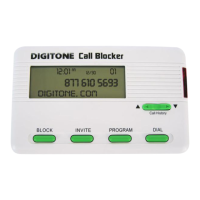
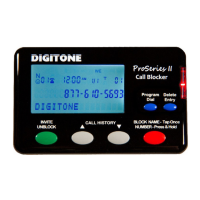
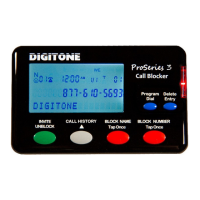
Use the ³ or º viewing buttons to find the number you wish to block, and press
the Block button twice quickly on the front panel. “NBR Blocked” will display
and the light indicator will flash to show that call is now on the Blocked Call
List.
When a blocked caller calls in, the caller ID will display their number and
“Blocked” with the light flashing to show the call is being answered and hung up
on.
40
Block A
Caller by
Entering
Their
Number
Directly
To Block specific individual callers, press and hold the Program Button for 3
seconds until you see “Program Mode”, then “Pick Up Phone”, when the prompt
for “Enter Code” displays, enter Code 40 to store a number of your Blocked
caller followed by the 10 digit number, then the * key.
Example for a Blocked number enter: Code 40, 602 555 1212 *, display shows
function. You can store up to 80 numbers.
40
Block An
Area
Code
To Block specific area codes, press and hold the Program Button for 3 seconds
until you see “Program Mode”, then “Pick Up Phone”, when the prompt for
“Enter Code” displays, enter Code 40 to store an area code followed by the # key
7 times, then the * key. The # key is used as a wildcard replacement for any
number.
Example for Blocked area code enter: Code 40, 602 ### #### *, display shows
function. Area codes are displayed as just the area code and included in the 80
number limit stored.
41
View
Blocked
Caller
List and
Remove
A Block
To view Blocked Caller list, press and hold the Program Button for 3 seconds
until you see “Program Mode”, then “Pick Up Phone”, when the prompt for
“Enter Code” displays, enter Code 41. Now use arrow buttons to view up or
down.
To remove an entry press and hold the Block Button for 3 seconds on the front
panel. The number will then be removed from that list and entered back into the
Invited list if code 96 # * (Global Invited List) is active.
92
View All
Installed
Codes
Press and hold the Program Button for 3 seconds until you see “Program Mode”,
then “Pick Up Phone”, when the prompt for “Enter Code” displays, enter code 92
to see all the codes that have been entered.
Codes In Effect As of 10-27-2011: 01 30 70 73 75 77 80 85 87 91 96


 To Previous Page
 Loading...