EasyManua.ls Logo

Digitrax UT6 Series - User Manual

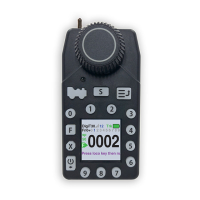
Digitrax UT6 Series
24 pages
Print Icon
To Next Page IconTo Next Page
Loading...
Digitrax, Inc.
2443 Transmitter Road
Panama City, Florida USA 32404
Support: helpdesk.digitrax.com
www.digitrax.com
Digitrax Manuals & Instructions are updated periodically.
Please visit www.digitrax.com for the latest version of all
manuals & for available firmware updates.
Digitrax UT6 Family Manual
Includes:
UT6, UT6D and UT6DE
C
T
C
omplete
rain
ontrol
Question and Answer IconNeed help?

Do you have a question about the Digitrax UT6 Series and is the answer not in the manual?

Digitrax UT6 Series Specifications

General IconGeneral
BrandDigitrax
ModelUT6 Series
CategoryController
LanguageEnglish

Summary

1.0 Introduction

UT6 Controls and LCD Screen Overview

2.0 Quick Start Guide

2.1 UT6 LCD Screen

Details the UT6's LCD screen and its layout.

2.1.2 Screen IDLE Power Saver

Explains the power saving features for the UT6 display.

3.0 Battery Operation and Power Management

3.1 Recharging Battery Pack

Instructions for recharging the Digitrax BP600MH battery pack.

3.2 Powering UT6 Off

Steps to properly power down the UT6 throttle.

4.0 Locomotive Selection and Operation

4.1 Selecting a Locomotive Address

Guide to selecting locomotive addresses on the throttle.

4.2 Analog Locomotive Operation

How to operate analog locomotives on the layout.

4.3 Additional Address Menus

Accessing advanced address selection options.

4.4 Releasing a Throttle Address

Procedure for releasing a locomotive address.

4.5 Dispatching Locomotives

Managing locomotive access during operating sessions.

4.6 Stealing Locomotives

Overriding busy locomotive addresses.

4.7 Status Edit: Speed Steps

Modifying decoder speed step settings.

4.8 Multiple Unit (MU) Operations

Guide to operating multiple locomotives together.

4.9 Adding a Locomotive to an MU

Steps to add a locomotive to a consist.

4.10 Removing a Locomotive from an MU

How to remove a locomotive from a consist.

4.11 MU Mismatched Locomotives

Advice for running MU's with varied loco characteristics.

4.12 Controlling Functions on MUed Locomotives

Managing functions of locomotives within an MU.

5.0 Locomotive Functions

5.1 Controlling Functions F0-F9

How to operate functions F0 through F9.

5.2 Functions 10 through 19

Controlling functions 10 to 19.

5.3 Functions 20 to 28

How to operate functions 20 to 28.

5.4 Troubleshooting Function Operation

Steps to resolve issues with function operation.

6.0 Switch and Turnout Control

Turnout Position Change

Instructions for changing turnout positions.

7.0 Expanded Menu Features

7.1.1 Fast Clock Editor

Setting up and editing the fast clock feature.

7.1.2 UT6 Options Editor

Personalizing various settings for the UT6 throttle.

7.1.3 Duplex RF Scan (UT6 D)

Scanning for and joining Duplex networks.

7.1.4 Duplex Settings Editor

Modifying Duplex settings for the UT6.

8.0 Emergency Stop

9.0 FCC and Regulatory Information

10.0 Warranty and Repair Information