24
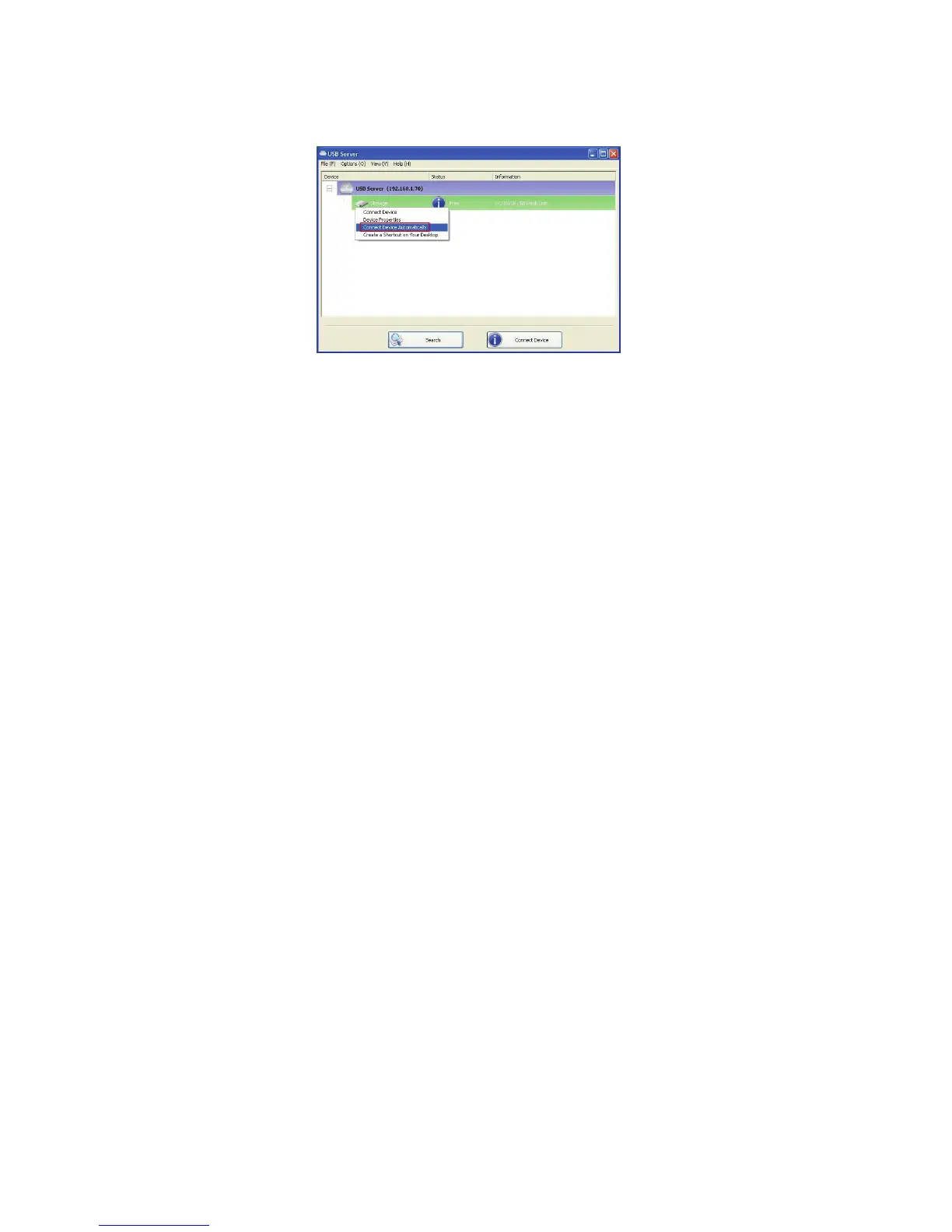
Automatic Connection
There two ways to automatically connects USB devices: automatic
connection by device and automatic connection by USB port.
Automatic Connection by Device
Once enabled, THIS PARTICULAR DEVICE will be automatically
connected when:
1. The software starts up and the device is online and Free.
2. The software is running and the device comes online.
3. The software is running and the device status changes to Free
from any other type of status.
HOWEVER, if the user manually disconnects the device, it will NOT be
automatically connected again until the software has been restarted.


 To Next Page