23
Featured Functions
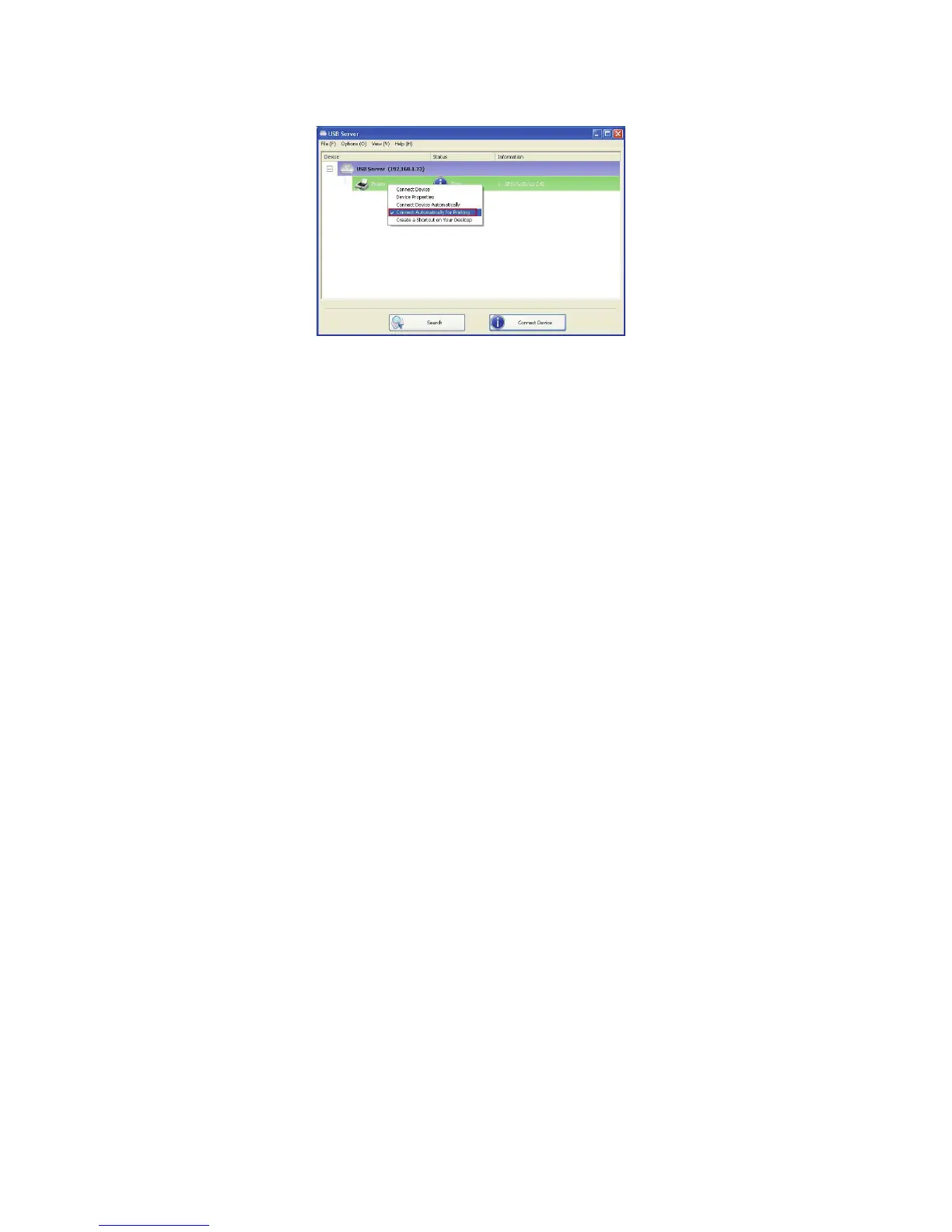
Connect Automatically for Printing
This is another one of our very convenient functions.
What this function does it that when you send a printing task to this
printer, it detects this printing task and AUTOMATICALLY connect this
printer to print out the document. When the printing task is done, the
printer will then be AUTOMATICALLY disconnected so that other users
can use it. The user no longer has to manually connect and disconnect
the printer.
NOTE: This function will be enabled for printers or MFPs that has
been installed and used on your PC. For a new printer/MFP, please
make sure you have installed it (has been connected via USB port
or via USB Server software and worked correctly) on your PC first.


 To Next Page