9
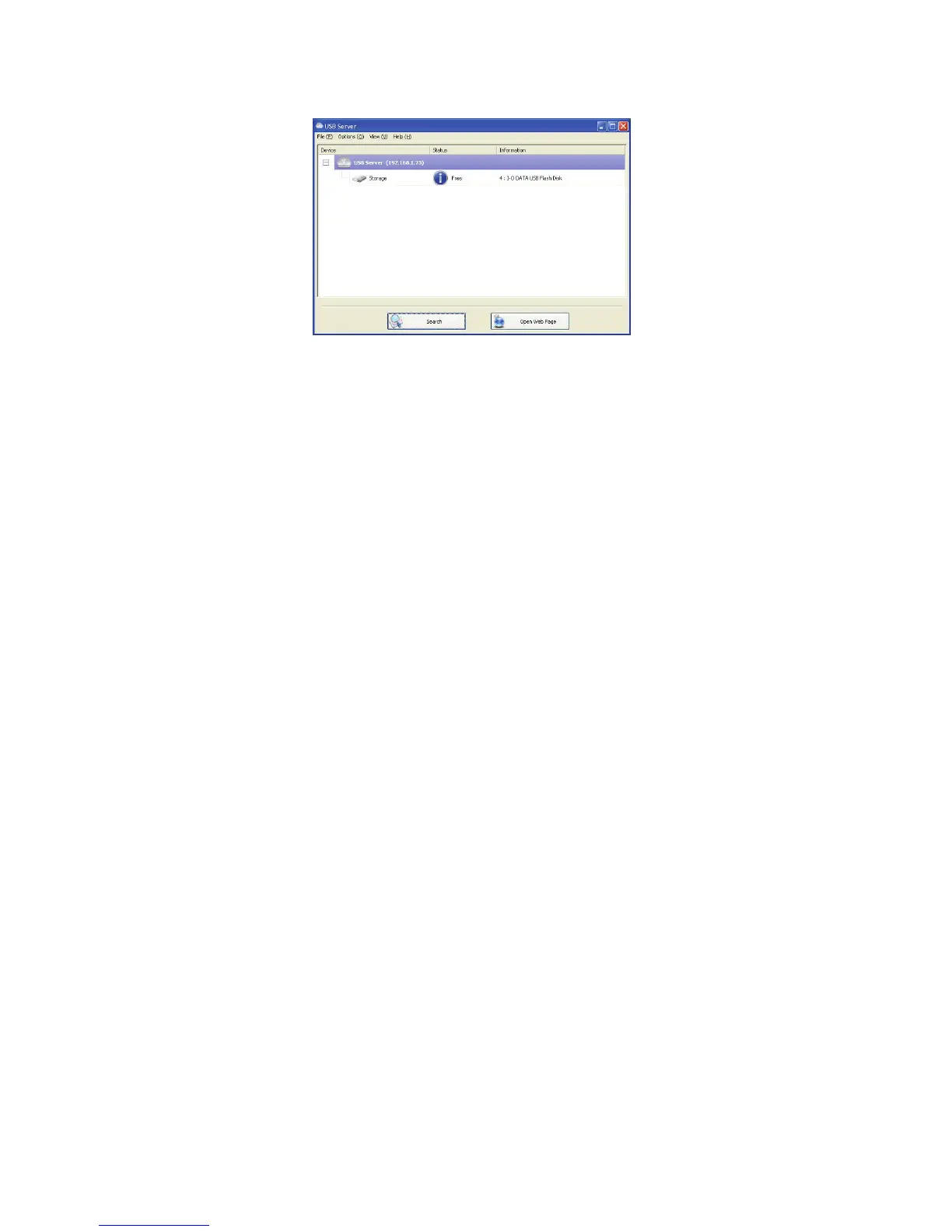
Main Dialog Box
Once you have start up the program and grant it access through the
firewall, you will see this main dialog box.
The main dialog box is consisted of a Control Menu (File, Options, View
and Help), a tree view in the middle that displays a list of all the server
and devices discovered on the network, a Search button to get the
current status of all USB Servers and devices, and a button that toggles
between Open Web Page and Connect Device depending on the node
you select on the tree view. The Open Web Page button toggles to
Connect Device when a device is highlighted.


 To Next Page