Need help?
Do you have a question about the Digium G200 SERIES and is the answer not in the manual?
Explains the function and benefits of echo cancellation in Gateway Series appliances.
Instructions for carefully inspecting the unit upon arrival and handling potential shipping damage.
Lists the items included in the Gateway Series appliance shipment package.
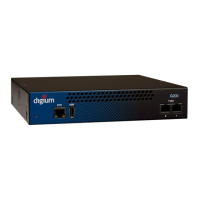
Describes the components and indicators located on the front panel of the Gateway Series appliances.
Explains how Gateway Series models are identified by their T1/E1 and Ethernet port configurations.
Provides instructions on how to properly install the hardware for a Gateway Series appliance, including grounding and mounting.
Covers configuring SIP/TDM settings, call routing, administrators, and networking.
Allows configuration and viewing of system statistics and logging data for the appliance.
Provides tools to view connection status, system info, and perform debugging for troubleshooting.
Enables configuration backups, software updates, system clock settings, reboots, and factory resets.
Guides through restoring firmware and resetting configuration via USB for unexpected behavior.
Addresses common questions regarding device status LEDs, cabling, and basic troubleshooting steps.
Explains how to register the product and obtain free installation assistance from Digium.
Details the pin assignments for the RJ45 ETH ports on the Gateway Series appliance.
Lists the pin assignments for the RJ45 T1/E1 ports, also known as RJ48.
Details the physical dimensions and weight of all Gateway Series appliance units.
Lists the types of interfaces supported, including Local Loop, USB, and Ethernet access.
Specifies the required operating and storage temperature and humidity conditions.
Outlines the voltage, current, and power consumption specifications for the appliances.

 To Next Page
 General