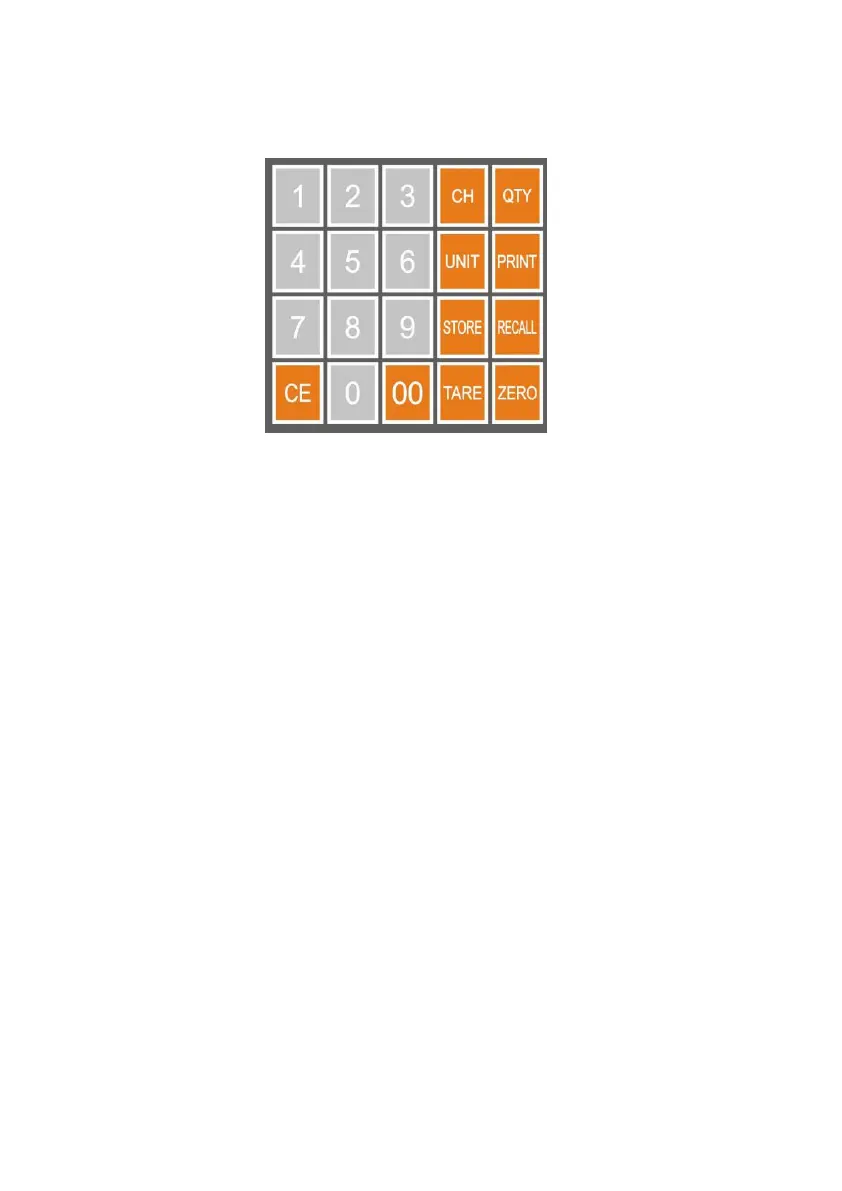
3. KEYS, DISPLAY AND CONNECTIONS
1. CH KEY
Press this key to change status . Payment is entered by numeric keys.
2. WEIGHT UNIT KEY
Press this key to shift among various weight units.
3. STORE KEY
Press this key to store the unit price (200 unit price can be stored by press
0-9 numeric keys.)
4. TARE KEY
Press this key to tare off the weight of a container.
Press this key to enter parameter when scale self-checking after power on
5. QTY KEY
Press this key to enter quantity which total price is calculate by it
6. PRINT KEY
Press this key to send print data to a printer.
Press this key as next parameter when setting
7. RECALL KEY
Press this key to call out the unit price which stored before
Press this key as previous parameter when setting


 To Next Page