DL9110 / DL9118 Operating Instructions
- 24 -
Functions keys F1-F4 have are used to select the options below:
F1 F2 F3 F4
Not used ac/dc/
selective
RCL Test current
AC/DC/Selective (F2)
Function key F2 is used to select the required RCD type: AC or DC
sensitive combined with standard or selective RCD types. Each time
the F2 key is pressed the next option is selected
During selective tests the DL9110 / DL9118 will display a delay timer
which counts down from 30s to 0s. Pressing the Test key or turning the
rotary switch while the DL9118 is counting will terminate the count.
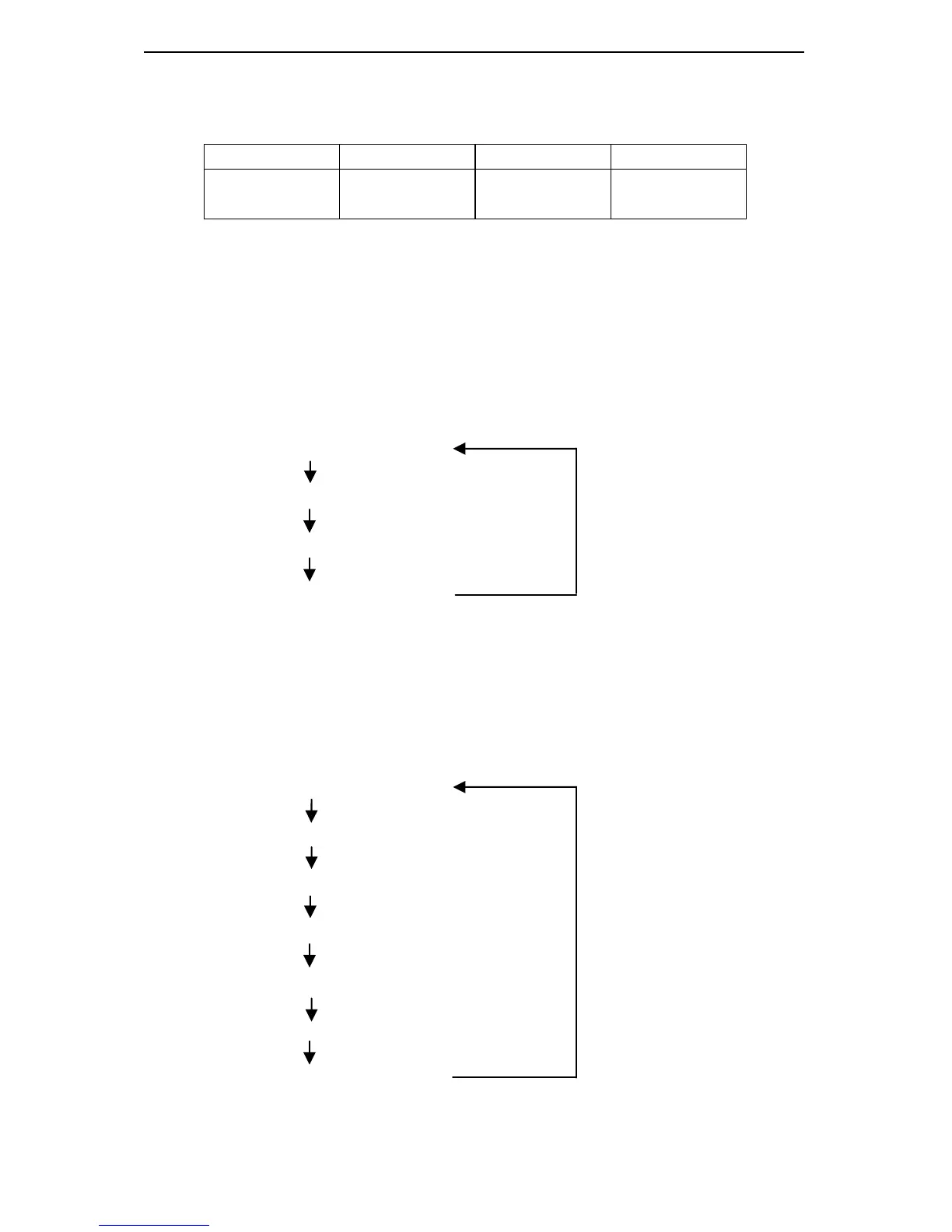
ac current / standard RCD
ac current / selective RCD
dc current / standard RCD
dc current / selective RCD
RCL (F3)
The RCL (Recall) key is used to recall the results of the last automatic
RCD test performed by the DL9110 / DL9118. The LCD will update to
show all of the relevant parameters for the result displayed. Continue to
press the F3 key to rotate through the results.
½ I∆n test current / 0
normal pre-test screen
Pressing any key while displaying a recalled measurement will return
the DL9110 / DL9118 to the normal pre-test screen.


 To Next Page