ASSEMBLY DimasTech Easy V.3.0 – STEP-5
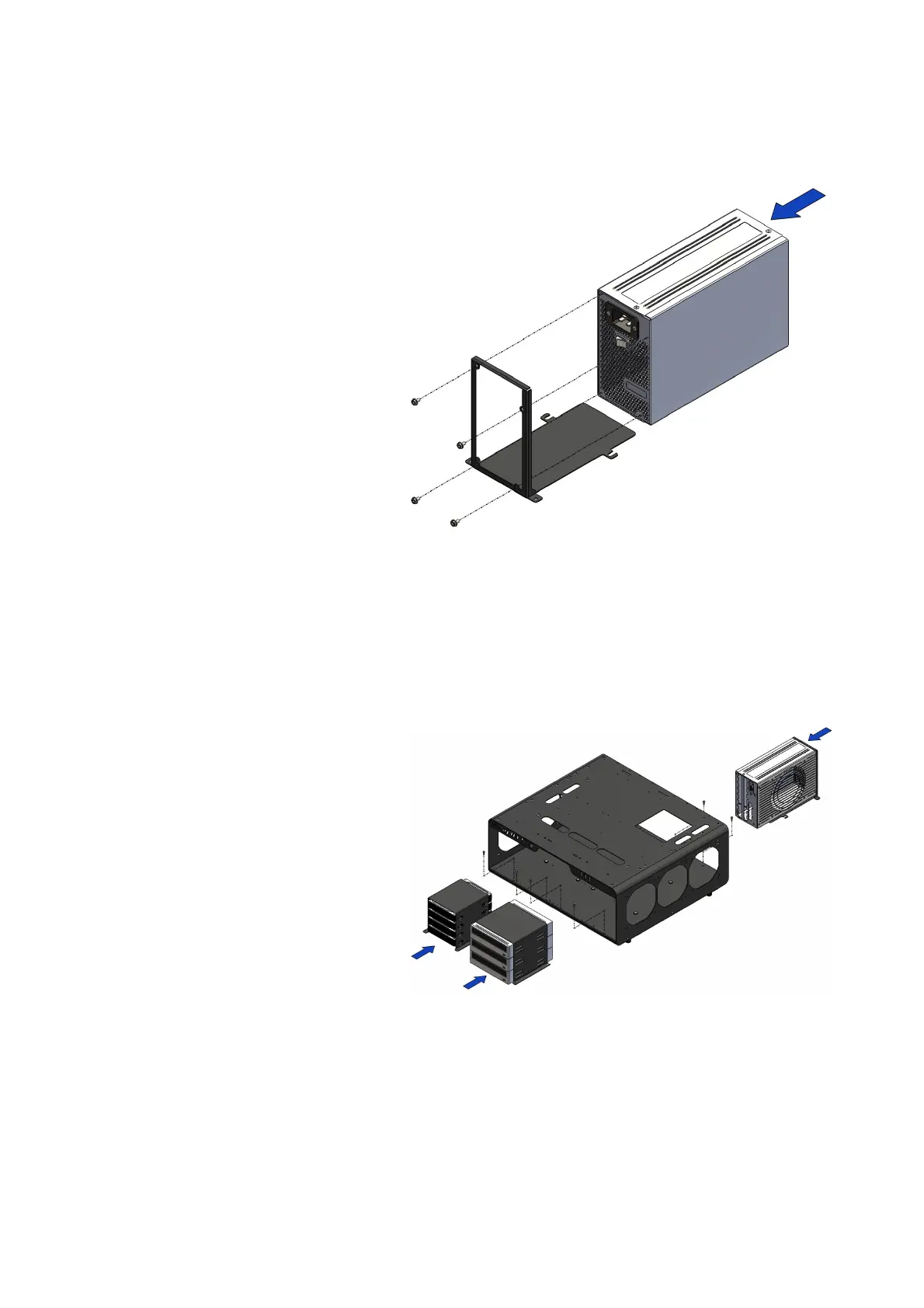
- The component BT051-2013 (5)
has the possibility to house inside
No.1 power supply (item not
included), the image has the sole
purpose of illustrating the
possibility positions of the parts.
- Align the holes in the power
supply to the components of the
BT051-2013 component (5) and
fasten with No.4 screws VC066_6-
32 (19), shown in the figure
beside.
ASSEMBLY DimasTech Easy V.3.0 – STEP-6
- Insert the components BT148
(3), BT149 (4) and BT051-2013
(5) with the respective hardware
installed, inside the Dimastech
Easy V.3.0 and fasten with the
No.6 screws VC048_M3x10
previously extracted, as shown in
the figure beside.
The image has the sole purpose of
illustrating the possible positions
of the parts.
Note: The number indicated in the brackets indicates the corresponding
identification in the table on the page No.2


 To Next Page
 Loading...