WI-FI
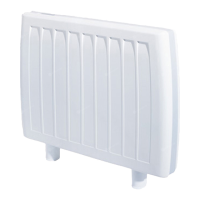
You can operate the unit wirelessly when connected to Wi-Fi. You’ll need a
Wi-Fi connection, and mobile device with the Dimplex CONNECT IT app
installed.
1. Connect mobile device to Wi-Fi and download the Dimplex CONNECT
IT app from the App Store, or Google Play.
2. Once installed, launch the app.
3. Press and hold the Wi-Fi button at the back of the unit (8) until the
Wi-Fi indicator light flashes rapidly
4. Click ‘Add the new device’. The SSID should automatically pick up
the Wi-Fi connection name.
5. Enter the Wi-Fi password ‘123456’ and hit connect.
6. Once connected you can control the unit via your mobile device and
with a 3G or 4G network connection.



 To Next Page