5
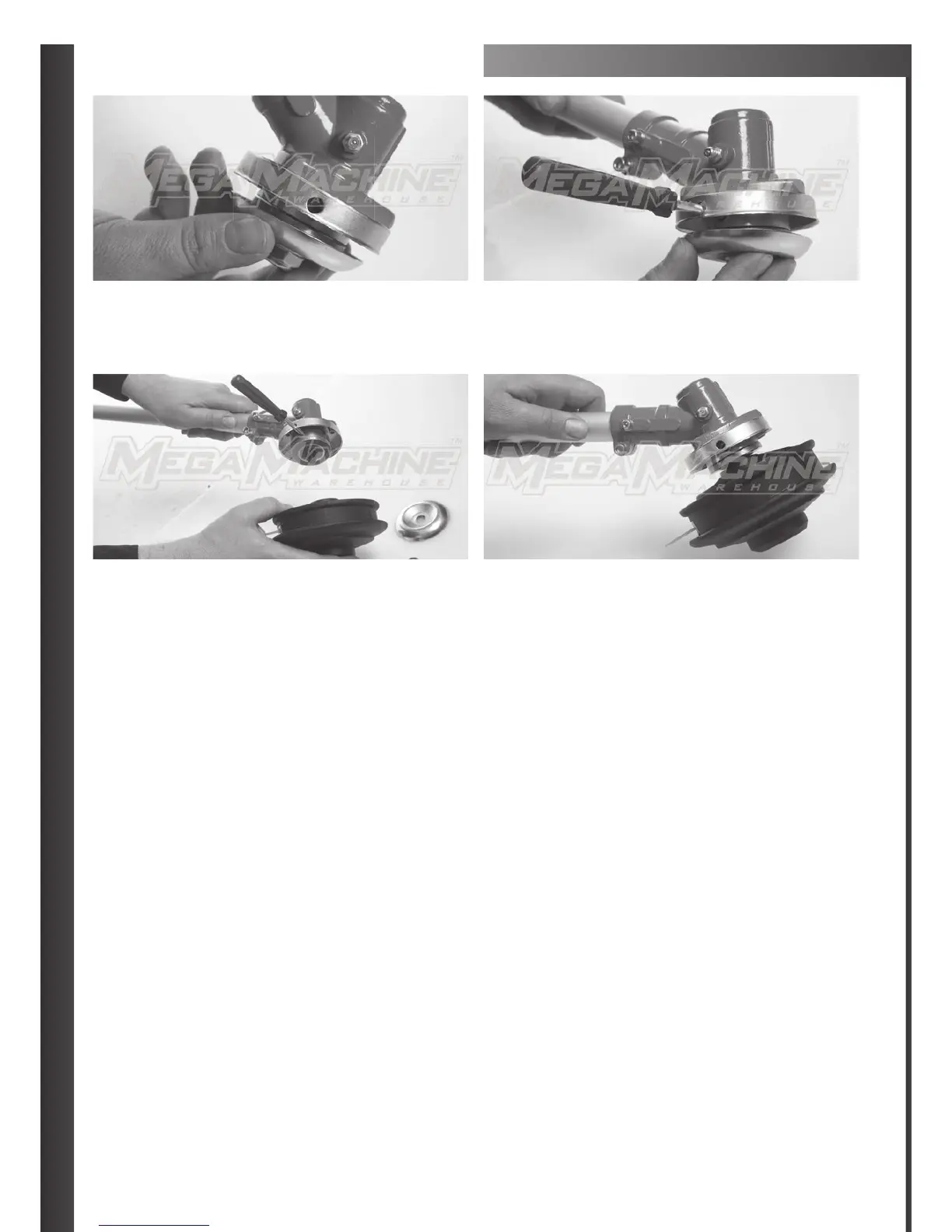
ATTACHING BUMPER HEAD
STEP 1
Locate outer and inner indexing hole.
STEP 3
Remove off bottom nut and silver cover.
STEP 2
Apply screw driver through outer and into inner indexing hole
(this is to stop the head spinning when changing
over attachments.)
STEP 4
Apply bumper head for tightening and turn anti-clockwise
until fi rm (locked in position.)



 To Next Page